
What It Does
Settings holds the preferences for the workspace you're in. Only the workspace owner can see this page. Open it from Settings in the sidebar.
Subscription & Billing
The top card shows your current plan and price. Click it to manage your subscription: upgrade, update your payment method, cancel or resume. See Billing & Subscriptions for full details.
Sidebar Navigation
Turn on Expand sidebar by default to always show the full menu labels instead of icons only.
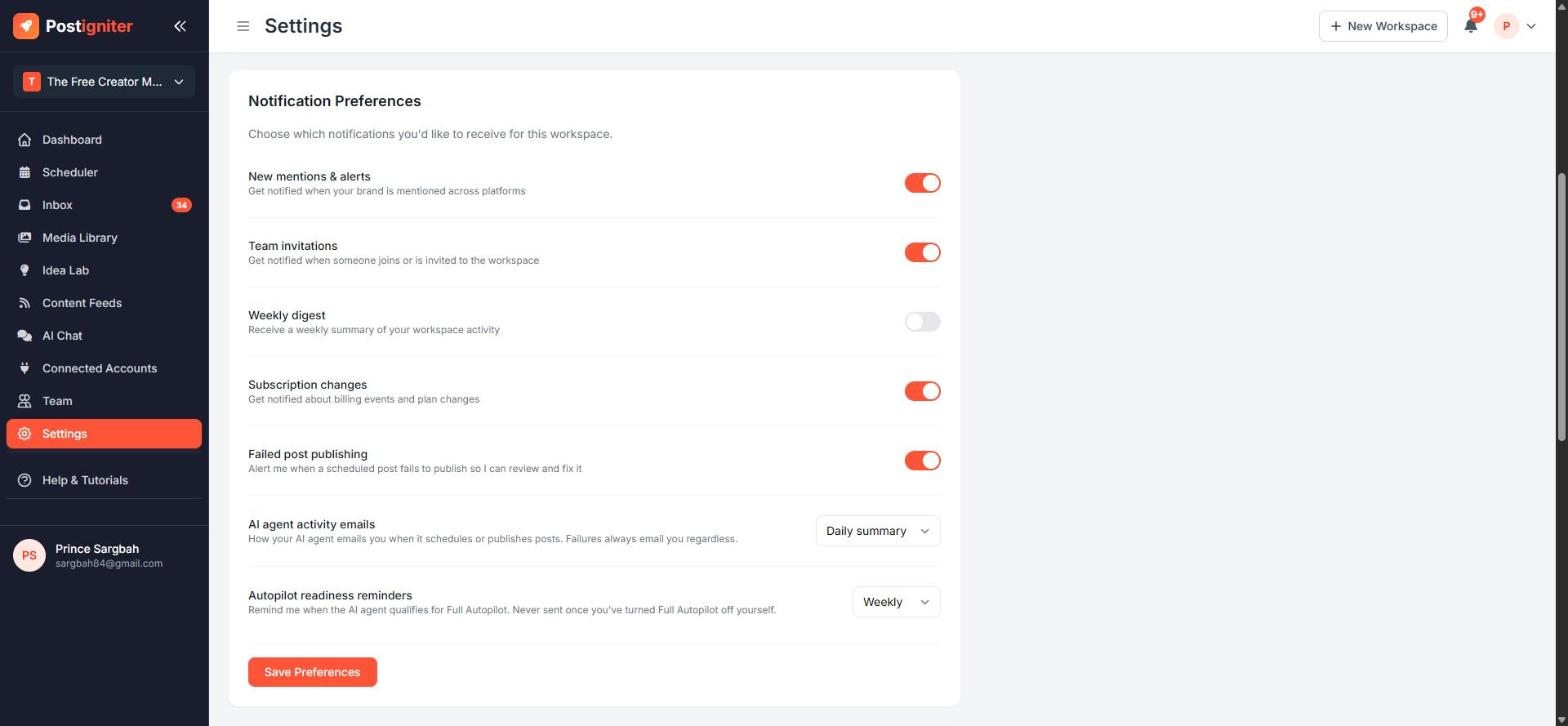
Notification Preferences
Choose which notifications you receive for this workspace:
- New mentions & alerts
- Team invitations — when someone joins or is invited
- Weekly digest — a weekly summary of workspace activity
- Subscription changes — billing events and plan changes
- Failed post publishing — alerts when a scheduled post fails, so you can fix it
- AI agent activity emails — Daily summary, Every post or Off. You're always emailed about failures, whatever you choose.
- Autopilot readiness reminders — Weekly, Monthly or Off. These remind you when your AI agent qualifies for Full Autopilot. They stop if you turn Full Autopilot off yourself.
Click Save Preferences after making changes.
Timezone
Set the Workspace Timezone that the Scheduler and smart time slots use. Leave it on auto-detect to use your browser's timezone. If your audience is in a different country, set it to their timezone instead.
Integrations and Quick Links
- API & Webhooks — connect your workspace to n8n, Make, Zapier or your own code. See API & Webhooks.
- Quick Links — jump to Manage Team, Connected Accounts, Brand Presets, Image Search, URL Shortener, API & Webhooks and your personal Account Settings.
Tips for Best Results
- Keep Failed post publishing on. It's the fastest way to catch an expired connection.
- Set AI agent activity emails to Daily summary once you trust the agent, to keep your inbox quiet.
- Double-check your timezone if posts seem to go out at the wrong time.