
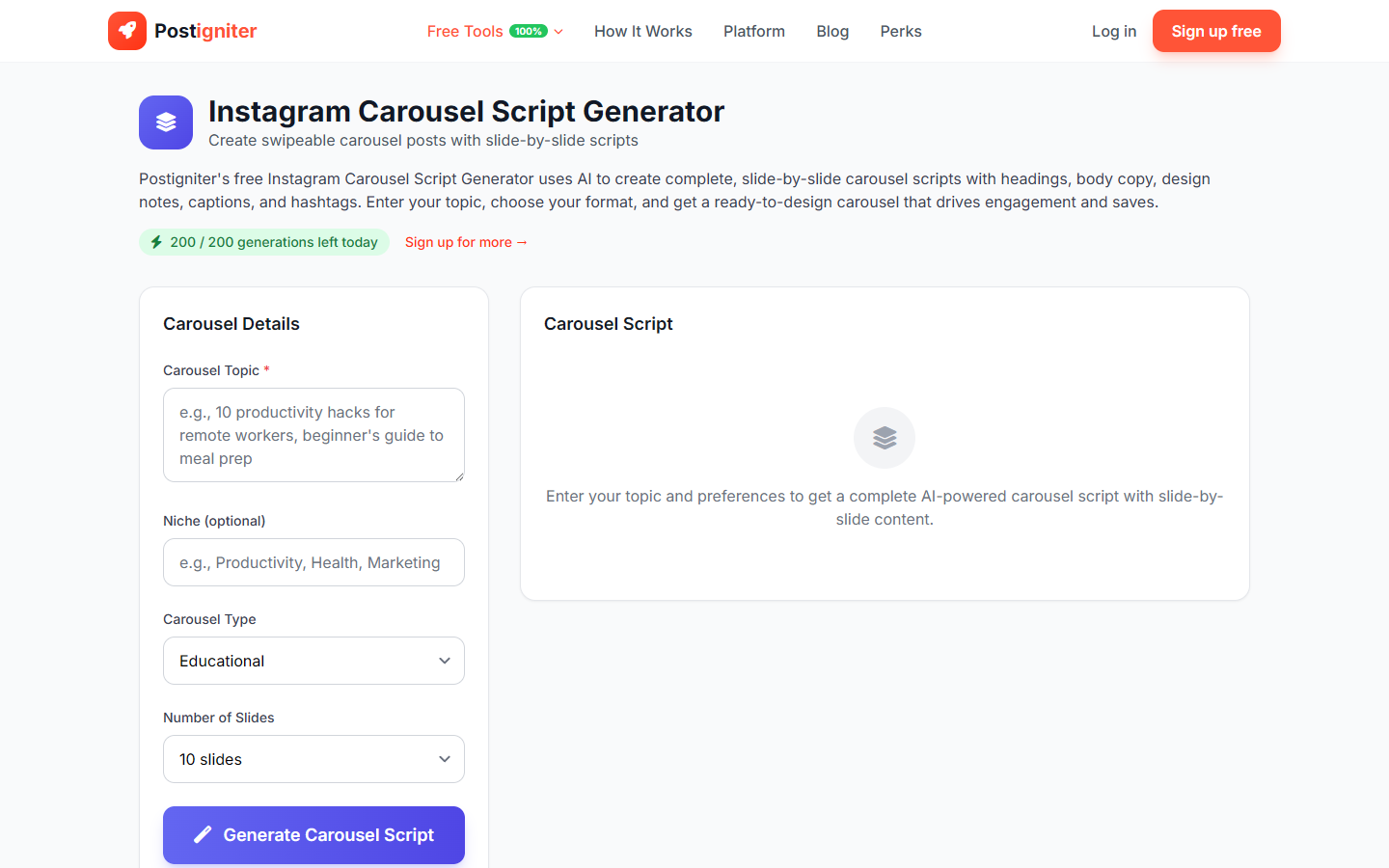
What It Does
The Instagram Carousel Script Generator writes a complete, slide-by-slide script for an Instagram carousel post. Carousels consistently outperform single-image posts for saves and shares — this tool structures your content so every slide flows logically and keeps viewers swiping.
How to Use It
- Enter your topic — Describe what you want your carousel to teach, show, or communicate (e.g., "5 morning habits of high performers," "how to write a LinkedIn headline," "before and after my home office setup").
- Choose the carousel type — Select the structure that fits your content:
- Educational — Step-by-step teaching format
- Storytelling — Narrative arc from problem to resolution
- Tips — List of actionable tips or tactics
- Before-After — Transformation or comparison format
- Step-by-Step — Numbered process with one step per slide
- Choose the number of slides — Select 5, 7, 10, 12, or 15 slides depending on your content depth.
- Enter your niche (optional) — Adds context so the AI tailors the language to your audience.
- Click Generate Carousel.
Understanding the Results
The output is a full script organized by slide number. Each slide entry includes:
- A headline (the main text for that slide)
- Supporting copy (1–2 sentences elaborating the point)
- A suggested visual note (what to show on the slide)
The first slide is always a hook designed to stop the scroll. The last slide is always a CTA prompting saves, follows, or shares.
Tips for Best Results
- Keep each slide to one idea. The generator follows this rule — when designing your slides, resist the urge to cram extra points onto a single image.
- Lead with the outcome in your topic. "How to wake up early without feeling terrible" is more engaging than "morning routines."
- Use 7 or 10 slides for most topics. Five is tight; fifteen is only appropriate for deeply detailed how-tos.
- Save carousels to your history (free account required) so you can revisit the script when designing in Canva or Adobe.