
Getting Started with Postigniter
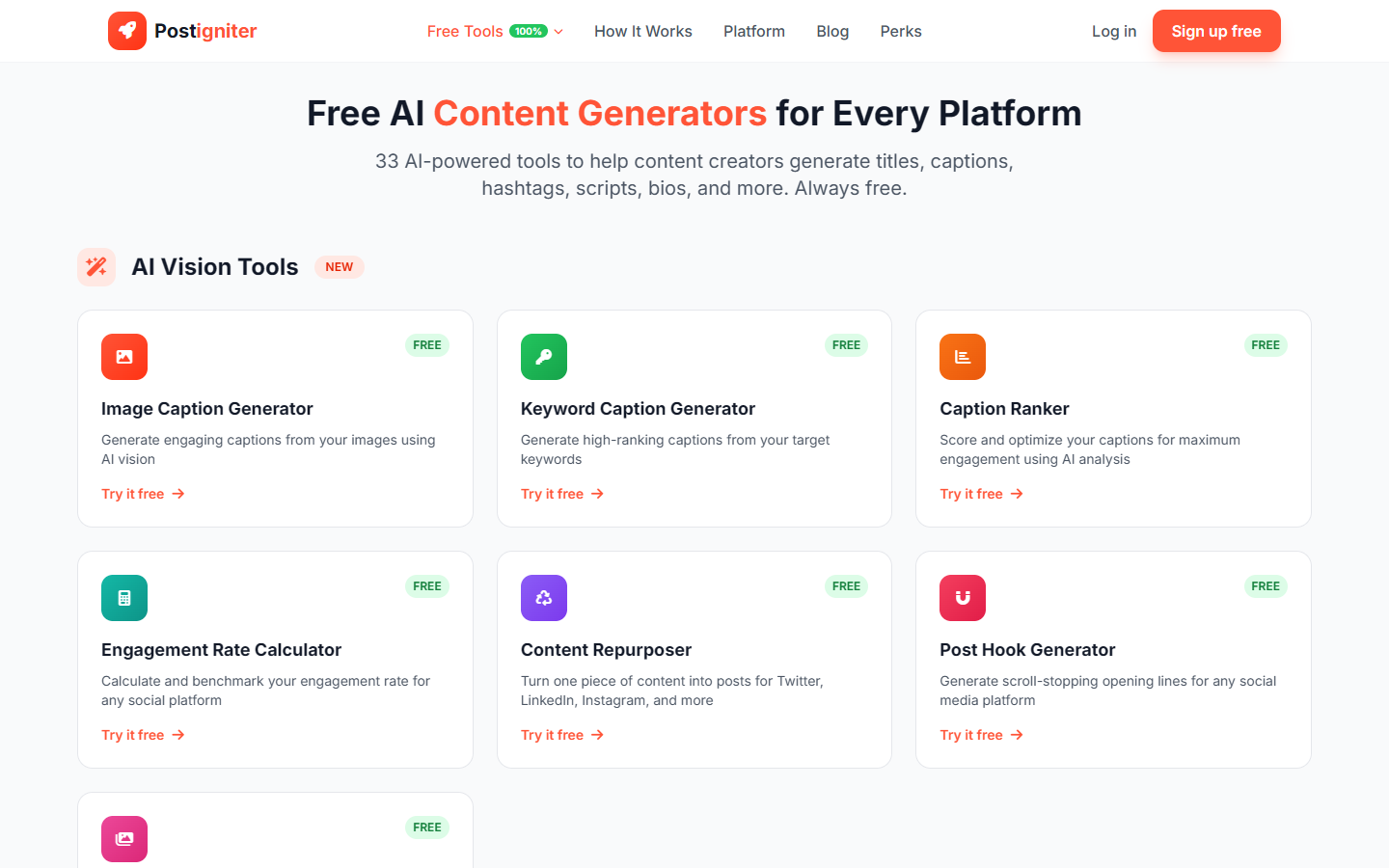
Welcome to Postigniter — your AI-powered social media toolkit. Whether you're a content creator, social media manager, or business owner, Postigniter gives you 30+ free tools to create better content across every platform.
This guide walks you through everything you need to get started.
Creating Your Account
Sign Up
- Visit postigniter.com and click Sign Up in the top right corner.
- Enter your name, email address, and choose a password.
- Click Create Account.
- Check your email for a verification link and click it to activate your account.
That's it — you're in.
What You Get as a Free User
When you sign up, you get:
- 10 free AI generations per day across all tools
- Access to 30+ tools for YouTube, Instagram, TikTok, Twitter/X, LinkedIn, and Facebook
- A personal dashboard to track your usage and history
- The ability to save and revisit your generated content
Upgrading to Pro
Need more than 10 generations a day? Pro gives you unlimited generations plus your own workspace with additional features.
To upgrade, click the Upgrade to Pro button on your dashboard, or visit the checkout page.
Navigating Your Dashboard
After signing in, your dashboard is your home base. Here's what you'll find:
Daily Usage
At the top of your dashboard, you'll see your daily generation count — for example, 3/10 means you've used 3 of your 10 free daily generations. This resets every day.
Quick Actions
Your dashboard gives you quick access to:
- Explore Tools — jump straight to the tools page
- View History — see your previously generated content
Recently Viewed
The bottom of your dashboard shows tools you've recently used, making it easy to jump back in.
Using the Tools
Finding Tools
Visit the Tools page to see all available tools. They're organized by platform:
- YouTube — Title Generator, Description Generator, Keyword Generator, Channel Name Generator, Channel Analyzer, Video Analyzer
- Instagram — Caption Generator, Hashtag Generator, Reel Idea Generator, Bio Generator, Story Idea Generator, Carousel Script Generator
- TikTok — Video Idea Generator, Script Generator, Hashtag Generator, Caption Generator, Hook Generator
- Twitter/X — Hook Generator, Bio Generator, Thread Generator
- LinkedIn — Post Generator, Headline Generator, Carousel Idea Generator
- Facebook — Caption Generator, Ad Copy Generator, Group Post Idea Generator
- General — Post Hook Generator, Content Repurposer, Engagement Rate Calculator, Caption Ranker, Keyword Caption Generator
How Tools Work
Every tool follows the same simple pattern:
- Enter your topic or content — describe what you want to create
- Choose your options — select style, tone, audience, or platform depending on the tool
- Click Generate — the AI creates your content in seconds
- Review and copy — browse the results, then copy what you like
Tips for Better Results
- Be specific with your topic. "Summer skincare routine for oily skin" gives better results than just "skincare."
- Try different styles and tones. The same topic can produce very different content depending on whether you choose "professional" vs "casual."
- Generate multiple times. Each generation gives you fresh results. If the first batch isn't quite right, try again — it won't repeat itself.
- Use the Content Repurposer. Created a great Instagram caption? Feed it into the Content Repurposer to adapt it for Twitter, LinkedIn, and other platforms in one click.
Using Tools as a Guest
You don't need an account to try the tools. Guest users get 3 free generations per day. If you like what you see, signing up gives you 10 daily generations — and your guest history carries over to your new account.
Getting Help
If you run into any issues or have questions, you can reach us at support@postigniter.com.
Happy creating!