
What It Does
The TikTok Hashtag Generator creates a targeted hashtag set for your TikTok videos. Unlike Instagram, TikTok's algorithm uses hashtags primarily to understand content category and surface it to the right For You pages — the right combination can dramatically increase your initial distribution.
How to Use It
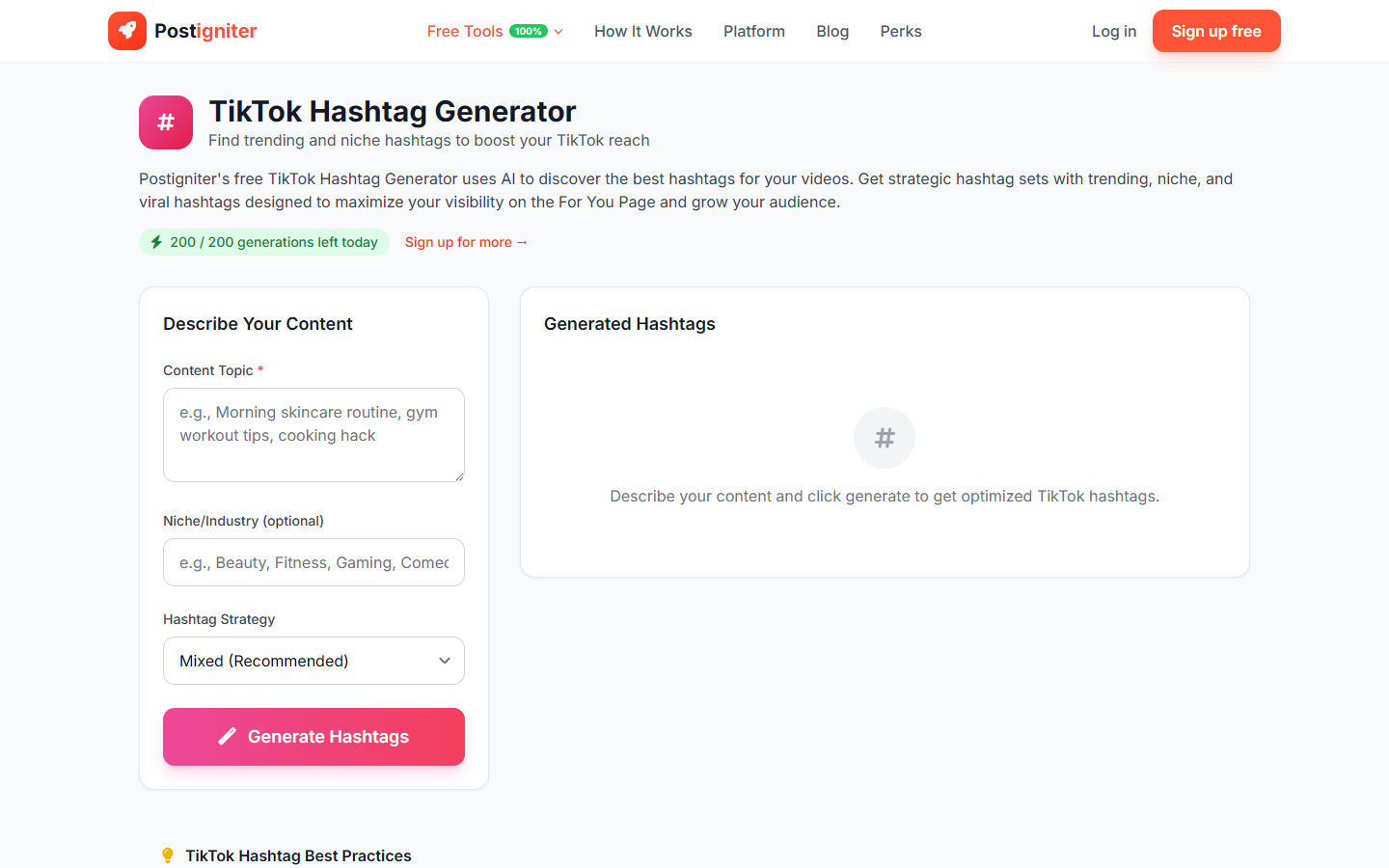
- Enter your video topic — Describe what your video covers (e.g., "how to make cold brew coffee at home," "beginner crochet tutorial," "stock market basics for teenagers").
- Enter your niche (optional) — Add your broader content category (e.g., "food and cooking," "handmade crafts," "personal finance"). This improves tag relevance.
- Choose a hashtag strategy — Select the approach that fits your goal:
- Mixed — Balances broad reach with targeted discoverability (recommended for most videos)
- Trending — Prioritizes hashtags currently gaining momentum on TikTok
- Niche — Focuses on smaller community hashtags for higher-quality, targeted reach
- Viral — Optimized for maximum For You page exposure
- Click Generate Hashtags.
Understanding the Results
You'll receive a set of hashtags at varying reach levels. TikTok currently recommends using 3–5 relevant hashtags per video rather than stuffing the maximum. The generator gives you more than you need so you can select the best fit for each video.
Tips for Best Results
- Quality over quantity. Three highly relevant hashtags outperform fifteen generic ones on TikTok.
- Always include at least one large hashtag and one niche hashtag. The large one exposes you to broad audiences; the niche one connects you to engaged communities.
- Re-generate for each video. Hashtag effectiveness varies by topic — don't reuse the same set across all your videos.
- Combine with the Trending strategy sparingly. Trending hashtags boost discovery fast but lose relevance quickly.