
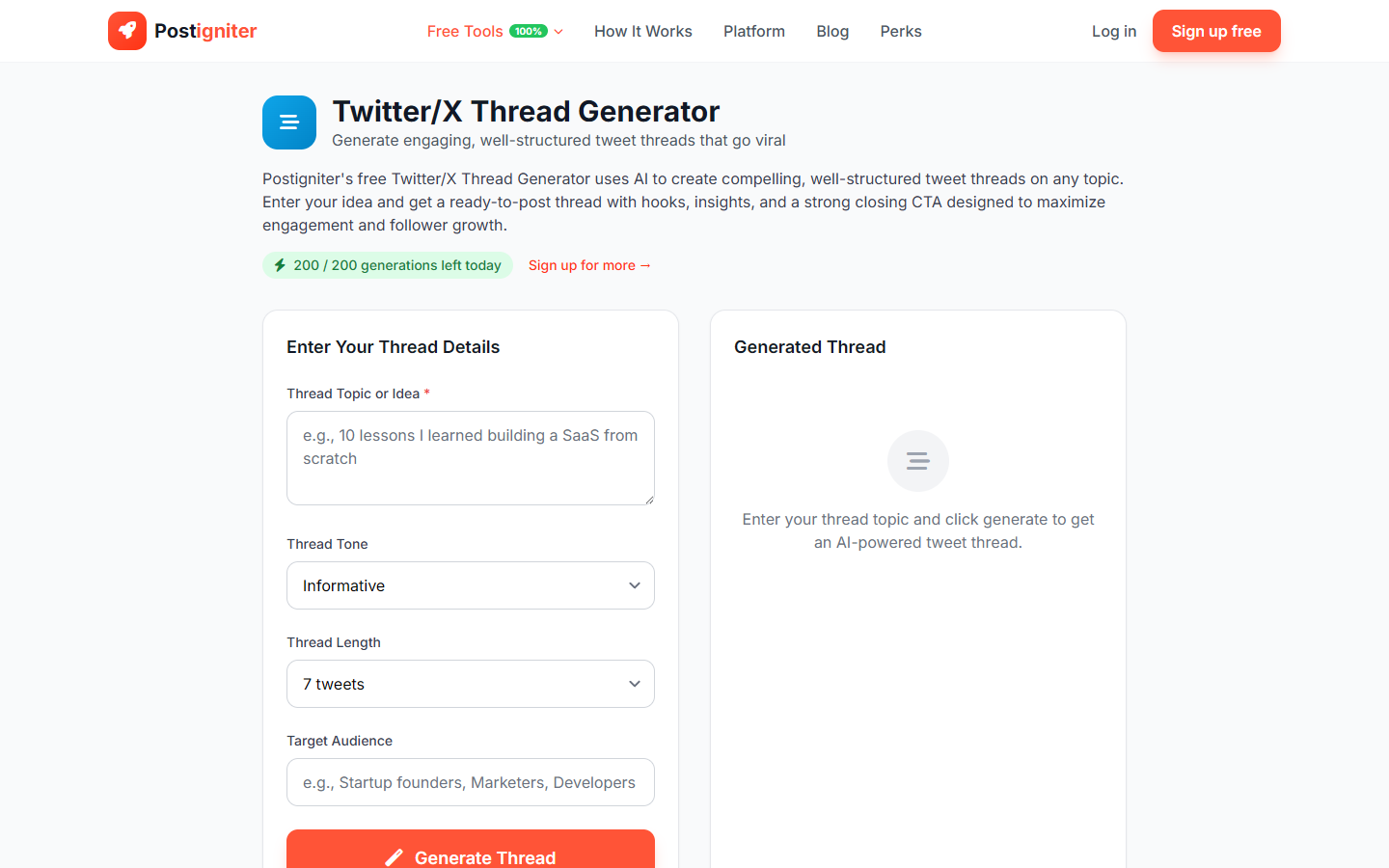
What It Does
The Twitter Thread Generator writes a complete, ready-to-post thread on any topic. Threads are one of the highest-performing content formats on X — they showcase expertise, generate saves, and drive profile follows from people who discover your content. The tool structures each tweet in the thread for maximum readability and engagement.
How to Use It
- Enter your thread topic — Describe what your thread will cover (e.g., "everything I know about cold email outreach," "10 lessons from building a bootstrapped SaaS," "how compound interest actually works").
- Choose a tone — Select the writing style:
- Informative — Clear, factual, and structured
- Witty — Smart and entertaining with personality
- Motivational — Inspiring and action-oriented
- Educational — Detailed teaching with examples
- Storytelling — Narrative format with a beginning, middle, and end
- Choose thread length — Select the number of tweets: 5, 7, 10, or 15.
- Enter target audience (optional) — Specify who you're writing for (e.g., "freelance designers," "aspiring investors") to tailor language and examples.
- Click Generate Thread.
Understanding the Results
The output is a numbered thread, formatted tweet by tweet. Each tweet is written within the 280-character limit. The first tweet is always a hook; the last tweet is a CTA (follow, retweet, reply). Middle tweets build the argument or story progressively.
Tips for Best Results
- Use 7–10 tweets for most topics. Five tweets is too brief for complex topics; fifteen can exhaust readers unless the content is genuinely dense.
- Lead with your most valuable insight in tweet 2. Hook in tweet 1, strongest point in tweet 2 — this is the most-retweeted structure on X.
- Add specific data, examples, or screenshots after generating. AI threads are strong on structure; you add the specifics that make them authoritative.
- Post the full thread at once. Use a thread scheduling tool like Typefully or post sequentially — never post tweets hours apart.