
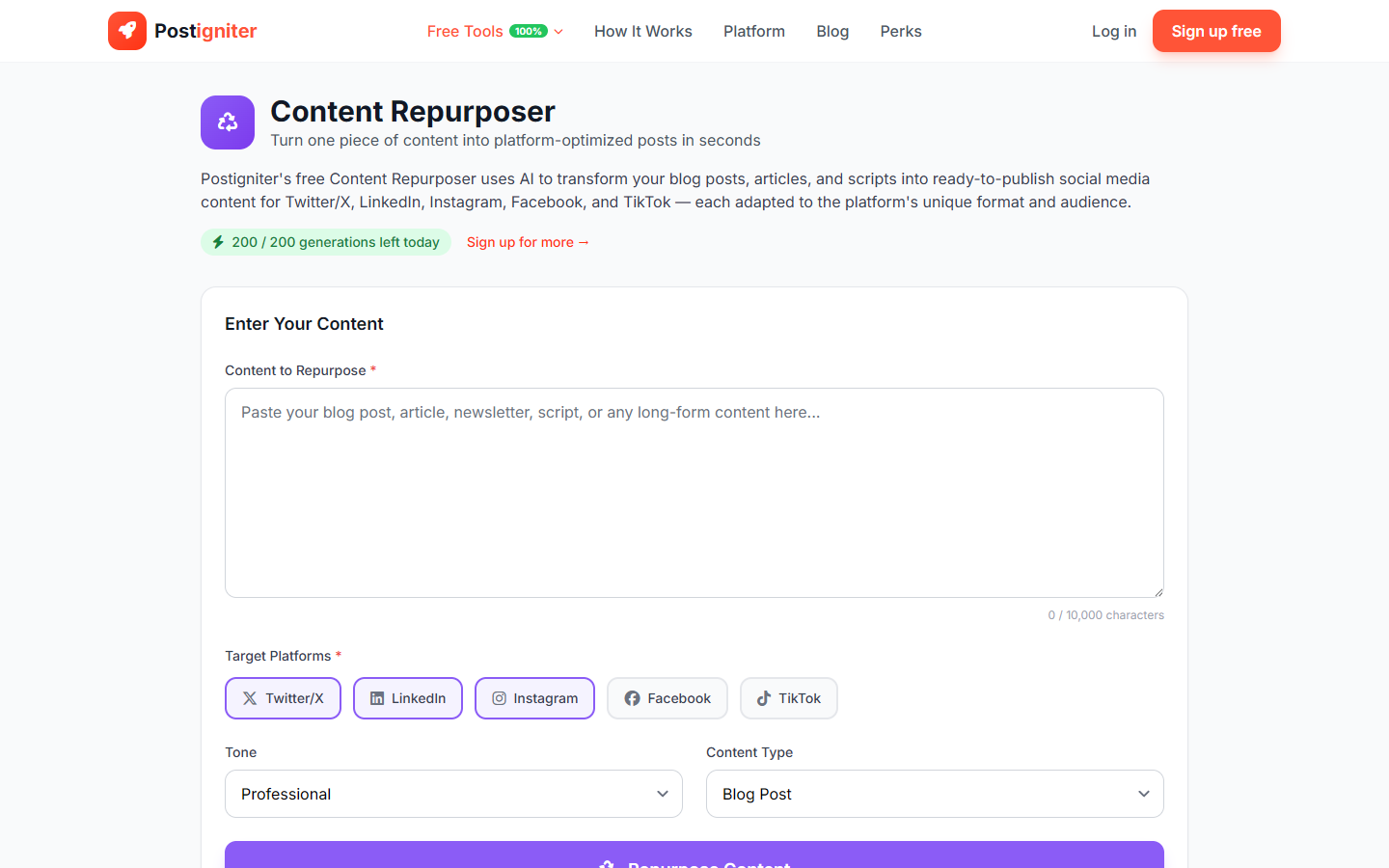
What It Does
The Content Repurposer takes a single piece of long-form content — a blog post, article, newsletter, YouTube script, or podcast notes — and transforms it into multiple platform-native social media posts in one click. Instead of manually adapting the same ideas for each channel, you paste your content once and get ready-to-post versions for every platform you care about.
How to Use It
- Paste your content — Copy and paste your source content into the text field. Minimum 50 characters; maximum 10,000. Works best with articles, blog posts, newsletters, or video transcripts.
- Select target platforms — Choose which platforms you want output for. Select any combination of:
- Twitter / X
- TikTok
- Choose a tone — Select the register to apply across all generated content:
- Professional — Formal and credible
- Casual — Relaxed and accessible
- Witty — Smart and entertaining
- Inspirational — Uplifting and motivational
- Educational — Instructive and structured
- Choose content type — Tell the tool what you're pasting:
- Blog Post, Article, Newsletter, YouTube Script, Podcast Notes, or Other
- Click Repurpose Content.
Understanding the Results
You'll receive a separate, platform-optimized post for each selected channel. Each post uses the format native to that platform: thread format for Twitter, long-form hook + body for LinkedIn, short punchy caption for Instagram and TikTok, and longer conversational copy for Facebook. All posts draw from the same source ideas but are rewritten — not just truncated.
Tips for Best Results
- Longer source content produces richer outputs. A 1,000-word blog post gives the AI more to work with than a 3-sentence summary.
- Select 2–4 platforms per generation. Repurposing to all five at once works, but reviewing fewer outputs at a time is easier.
- Match tone to your brand voice. If your blog is formal but your Instagram is casual, run two separate repurposes with different tone settings.
- Edit before posting. AI repurposing is excellent for structure and hooks; add your personal examples, links, and tags before publishing.