
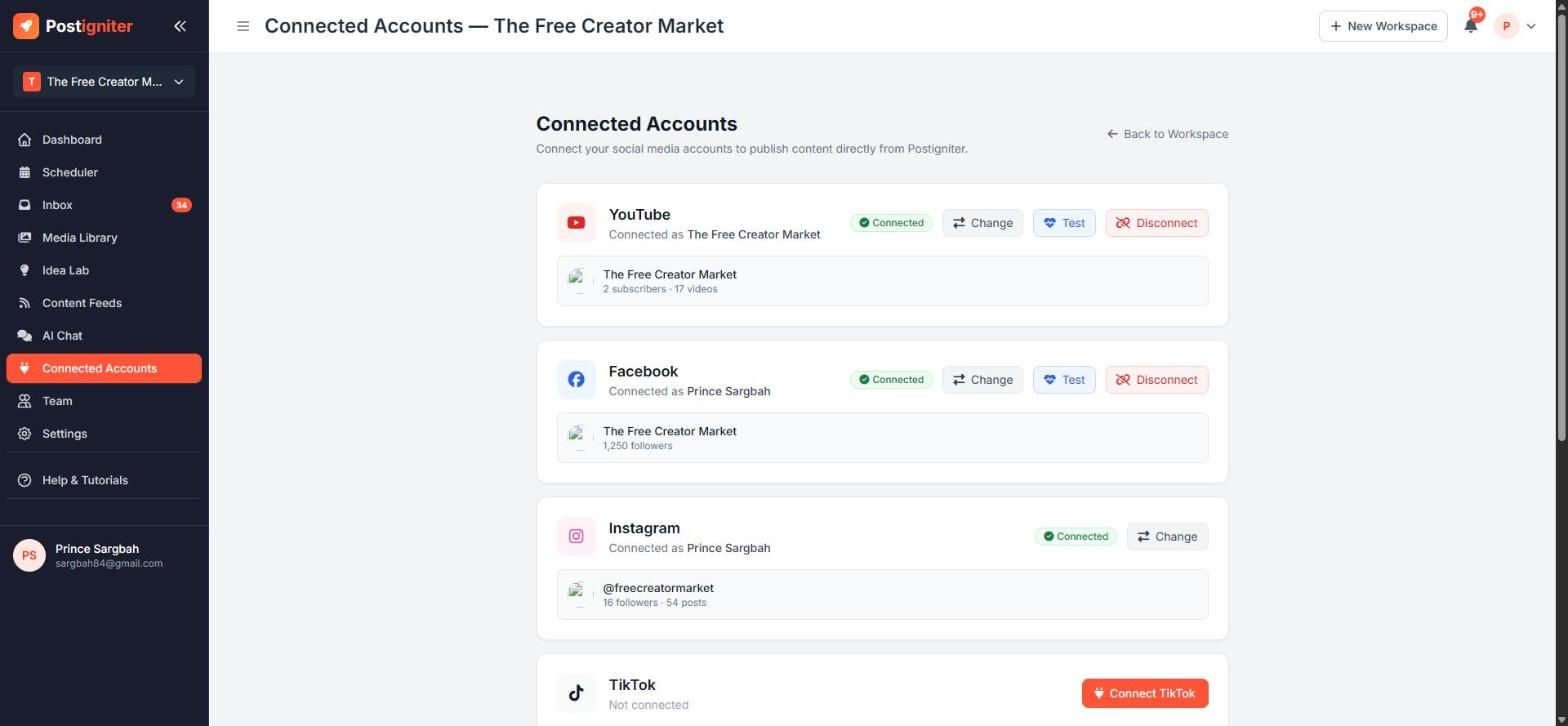
What It Does
Connected Accounts is where you link your social profiles to your workspace. Once an account is connected, Postigniter can:
- publish and schedule posts to it
- pull its analytics into your dashboards and reports
- bring its comments and messages into your Inbox
Each workspace has its own connections, so different brands never share accounts.
Open it from the sidebar (Connected Accounts) or from ⋮ → Connected Accounts on the dashboard.
Supported Platforms
- YouTube — channel analytics, AI recommendations, video optimisation, Shorts publishing and comment replies
- Facebook — Page analytics, publishing (posts, photos, videos, stories), and comment and message management
- Instagram — Business account analytics, publishing (posts, carousels, Reels, stories), and comment and DM management
- Canva — import your Canva designs into the Media Library or straight into a post
TikTok and LinkedIn are rolling out as each platform approves our access. X (Twitter) is coming soon.
How to Connect an Account
- Open Connected Accounts.
- Click Connect next to the platform.
- Sign in to that platform and approve the permissions Postigniter asks for.
- If you manage more than one channel or Page, choose the one that belongs to this workspace.
Postigniter then imports about the last 45 days of posts and stats, so your dashboards fill in right away.
Connecting Facebook and Instagram
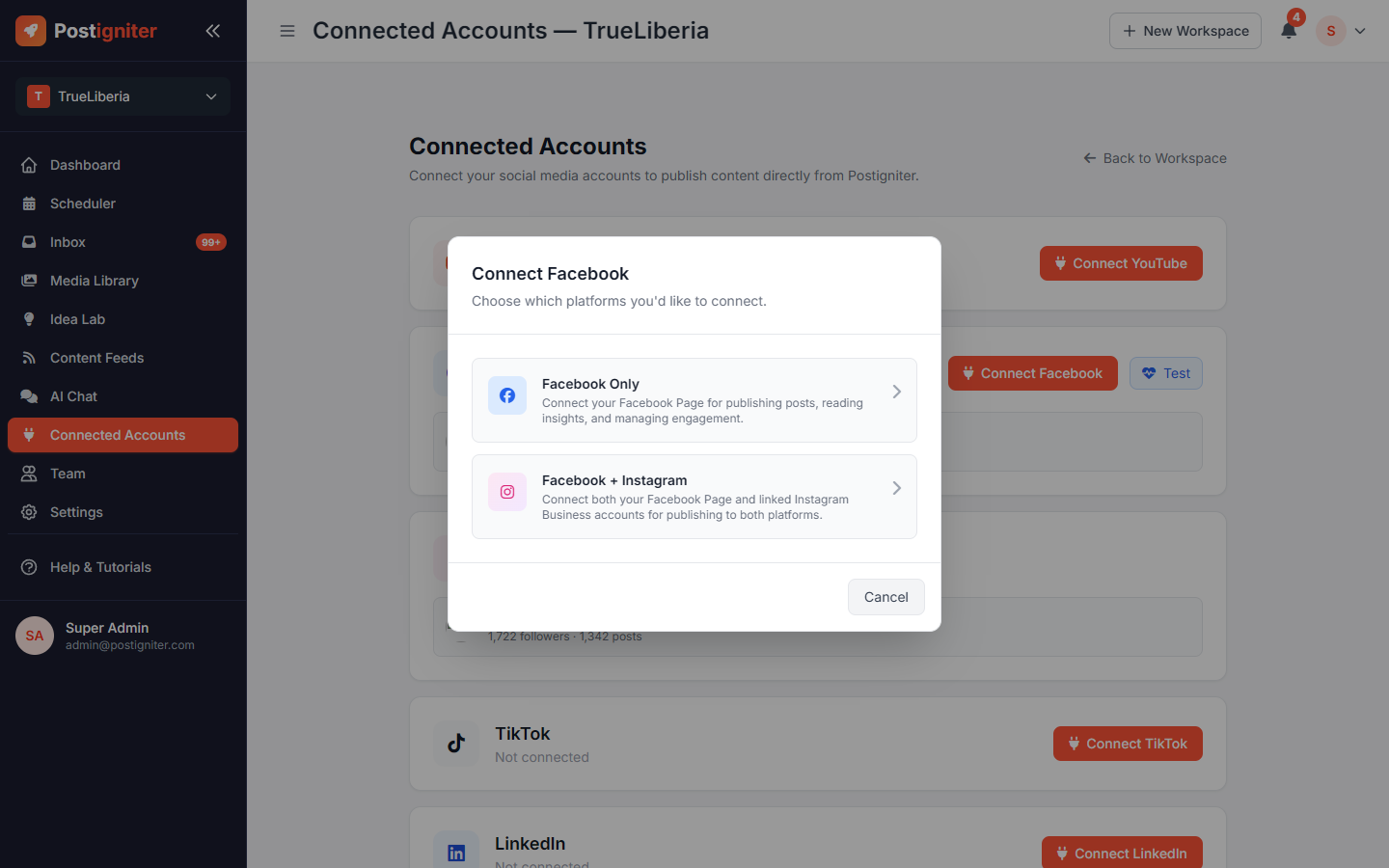
Instagram Business accounts are managed through Facebook Pages, so when you click Connect Facebook you choose between:
- Facebook Only — publish to and analyse your Facebook Page.
- Facebook + Instagram — also connects any Instagram Business account linked to that Page.
If your Instagram account is a personal account, switch it to a Business or Creator account and link it to your Facebook Page in the Instagram app first.
Testing and Reconnecting
- Change lets you switch to a different channel, Page or Instagram account.
- Test checks that a connection is still working.
- If a connection shows Expired — please reconnect, click Connect again and sign in. Your settings and history are kept. Platforms expire access tokens from time to time, and a reconnect refreshes the token.
- A yellow Connection issue detected banner at the top of every page means publishing to that platform will fail until you reconnect.
- Disconnect removes the connection and revokes Postigniter's access.
Tips for Best Results
- Connect during setup. Analytics, AI ideas and best-time-to-post suggestions all depend on your real history.
- Use the account that has admin rights on the Page. Without full admin access, Facebook won't let Postigniter publish or reply to comments.
- Reconnect promptly when you see the banner, so scheduled posts don't fail.