
What It Does
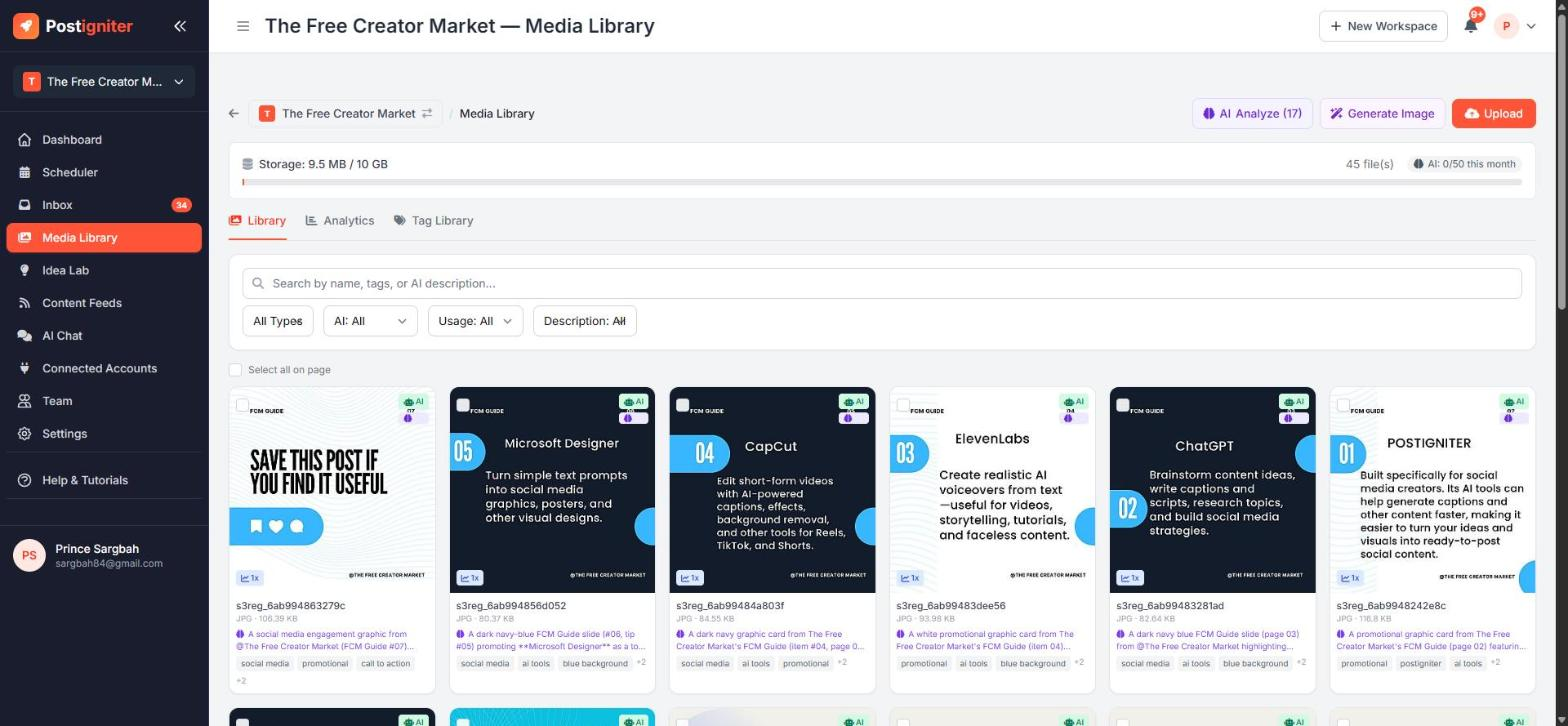
The Media Library holds all the images and videos for your workspace. Use it in the Post Creator, and your AI agent can use it too when it builds posts. When you upload something, the AI describes and tags it automatically, so you can search your library by what's in the image, not just its file name.
Open it from Media Library in the sidebar.
Storage
The bar at the top shows how much storage you've used. Pro workspaces include 10 GB; Studio and Lifetime include 50 GB.
Adding Media
Click Upload to:
- upload images (JPEG, PNG, GIF, WebP) or videos (MP4, MOV) from your device
- import free stock photos
- import Canva designs. Multi-page designs come in as separate images, ready for a carousel. This needs a connected Canva account.
Generating Images with AI
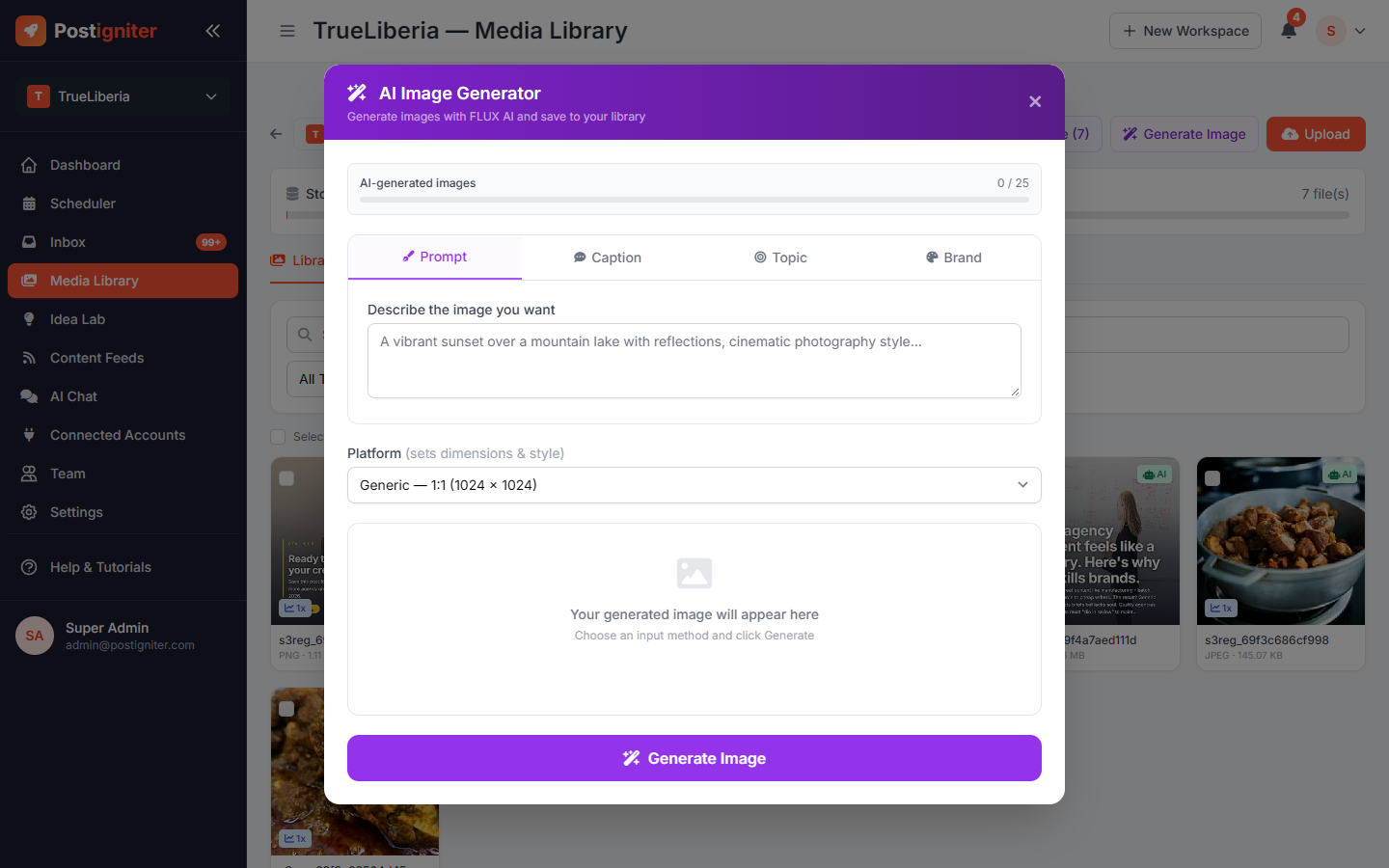
Click Generate Image to create an original image with AI. You can start from:
- Prompt — describe the image you want
- Caption — paste a caption and the AI designs a matching image
- Topic — generate from a platform topic
- Brand — use one of your Brand Presets so the image matches your colours and style
Choose the platform size, then click Generate Image. The new image is saved to your library. The counter shows how many AI images you have left this month (Pro: 25 per month, Studio: 50).
Organising Your Library
- Search by name, tag or AI description.
- Filter by type, AI access, usage (used or unused) and whether an item has a description.
- Select items to delete them in bulk, switch AI access on or off, or add tags.
- Open an item to edit its description and tags, regenerate its AI description, choose whether the AI agent may use it, or generate captions from the image.
- AI Analyze describes and tags any items that haven't been processed yet.
- Tag Library shows all your tags in one place.
- Analytics shows your top-performing media, how your tags perform, and media you've never used.
Tips for Best Results
- Leave AI access on for brand photos you're happy for the agent to post. Turn it off for anything private or outdated.
- Upload in batches of related shots. The AI can group them into carousel sets automatically.
- Check Analytics → Unused media now and then. Unused uploads still count towards your storage.