
Post Search
Post search finds any post in your workspace, from drafts to posts published months ago.
Open search
On the Scheduler, click Search.
Search and filter
- Keyword: searches topics, captions, first comments and hashtags
- Platform: Facebook, Instagram, TikTok, YouTube, LinkedIn, X
- Status: Draft, Awaiting approval, Scheduled, Published, Failed
- Created by: People, Autopilot / AI drafts, API, CSV import, Repeats, Website feeds
- Date range: From and To
Results are newest first. A post's date is when it was published, otherwise when it's scheduled, otherwise when it was created.
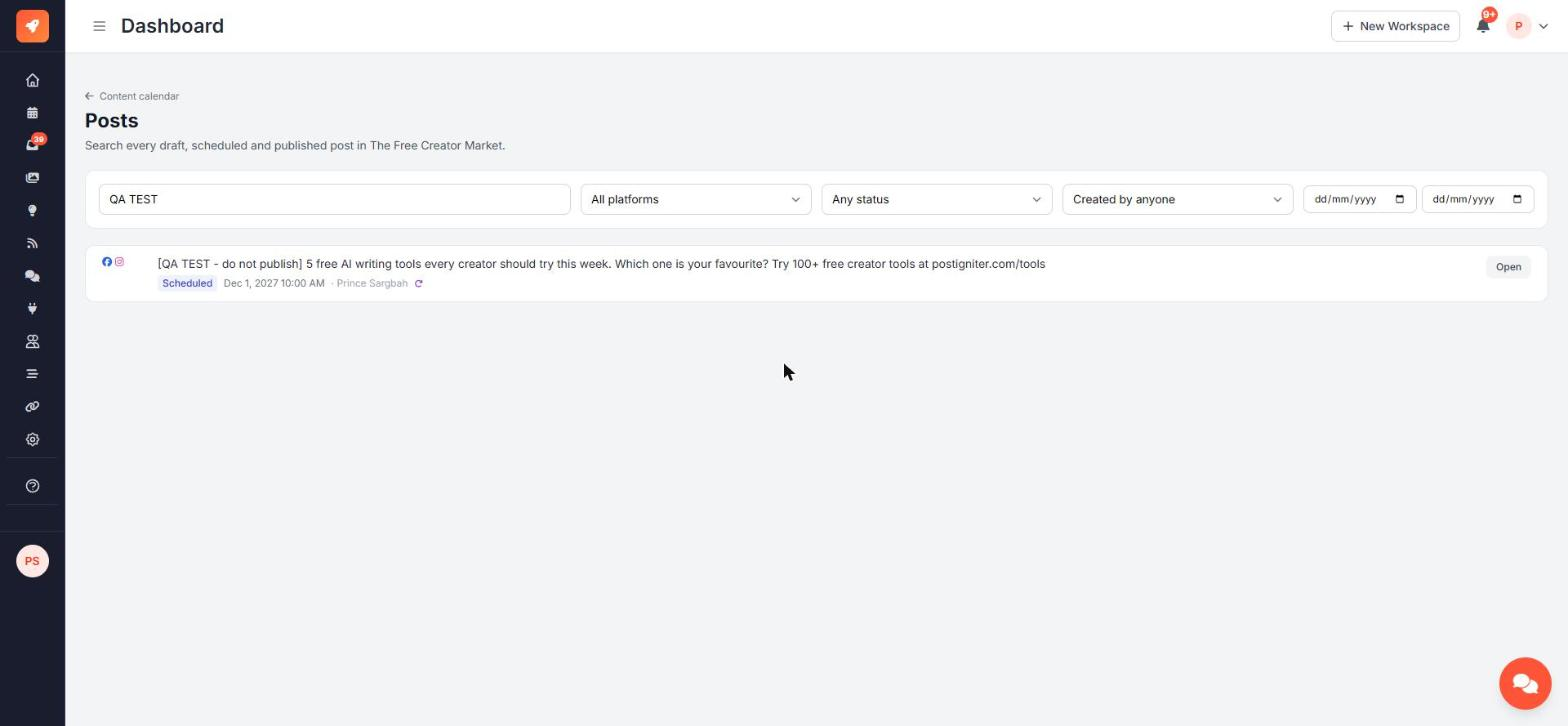
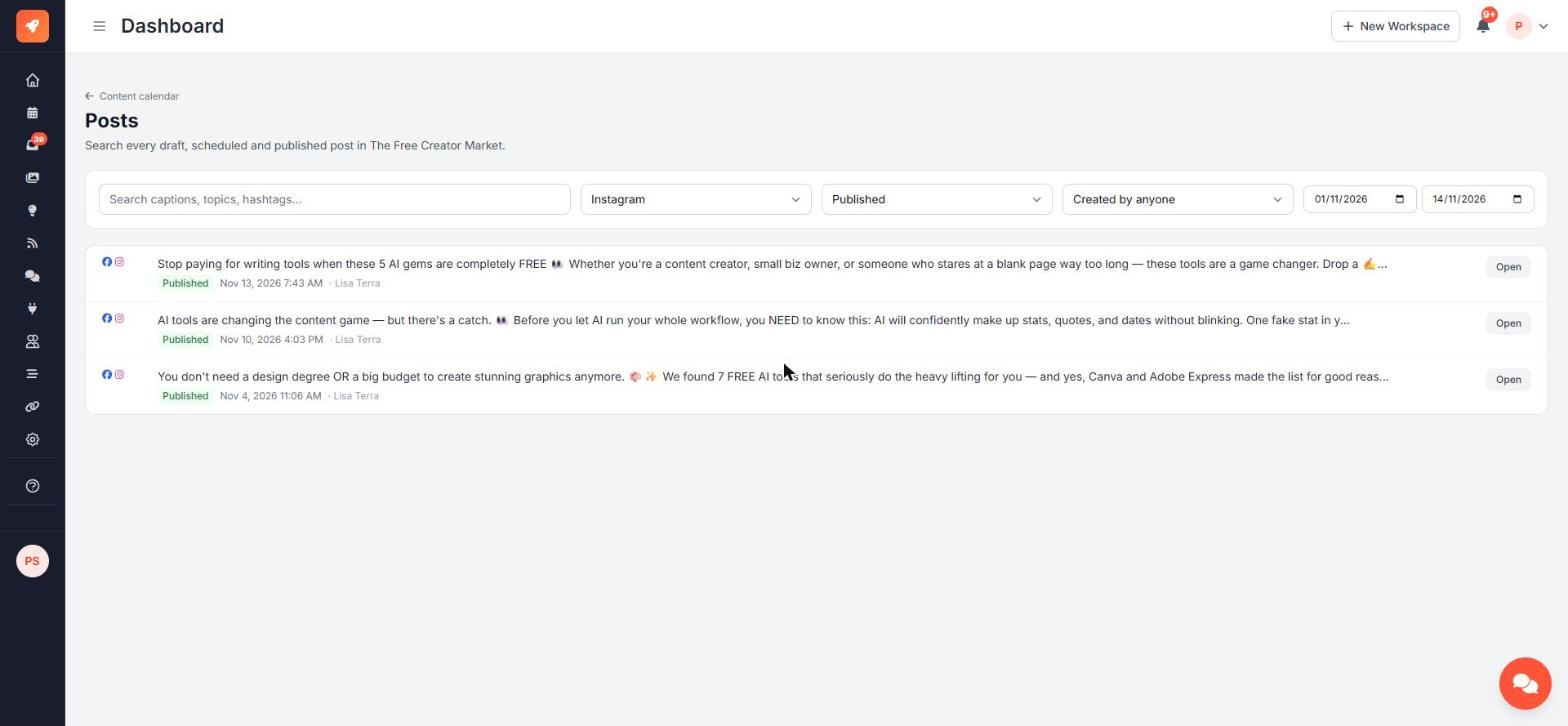
Your filters are saved in the page address, so you can bookmark a search or share it with your team.
Open a post
Click Open on a result. The calendar opens with that post's preview, including its notes, approval status, first comment and repeat information.
Ask the AI chat
"Find our posts about Canva from last month". The chat lists matching posts with their IDs, so you can follow up with "Repeat post 123 every month" or "Add a first comment to post 123".