
Plans and AI Limits
One-off AI actions, like clicking AI to write alt text for one image, work on every plan. AI that runs by itself, again and again uses credits without anyone clicking, so it's part of the paid plans.
Which plan includes what
| Feature | Free | Starter | Pro | Studio | |---|---|---|---|---| | Idea Lab (AI post ideas) | – | ✓ | ✓ | ✓ | | AI drafts for you to review (Level 2) | – | ✓ | ✓ | ✓ | | Full Autopilot (Level 3) | – | – | ✓ | ✓ | | Repeat a post | ✓ | ✓ | ✓ | ✓ | | AI rewording of each repeat | – | – | ✓ | ✓ | | Alt text by hand or with the AI button | ✓ | ✓ | ✓ | ✓ | | Automatic alt text on every scheduled post | – | – | ✓ | ✓ | | Automatic descriptions of media library images | – | ✓ | ✓ | ✓ | | Link in bio page | ✓ | ✓ | ✓ | ✓ |
What you'll see on a lower plan
Where a feature needs a higher plan, you'll see a Pro badge and an Upgrade to Pro link instead of the setting. For example:
- Repeat this post: the "Reword the caption with AI each time" option is replaced by a Pro badge.
- Alt text panel: "Write missing alt text with AI on every scheduled post" shows a Pro badge.
- AI Settings: on Starter, Full Autopilot shows an upgrade prompt. A Starter workspace that was set to Level 3 before works like Level 2 (AI drafts for review).
If you downgrade, your settings are kept but these features pause quietly. Upgrade again and they pick up where they left off.
Brand facts
Brand facts are the facts your AI is allowed to state: prices, offers, shipping, opening hours, links. Set them in AI Settings → Brand facts and click Save Brand Facts.
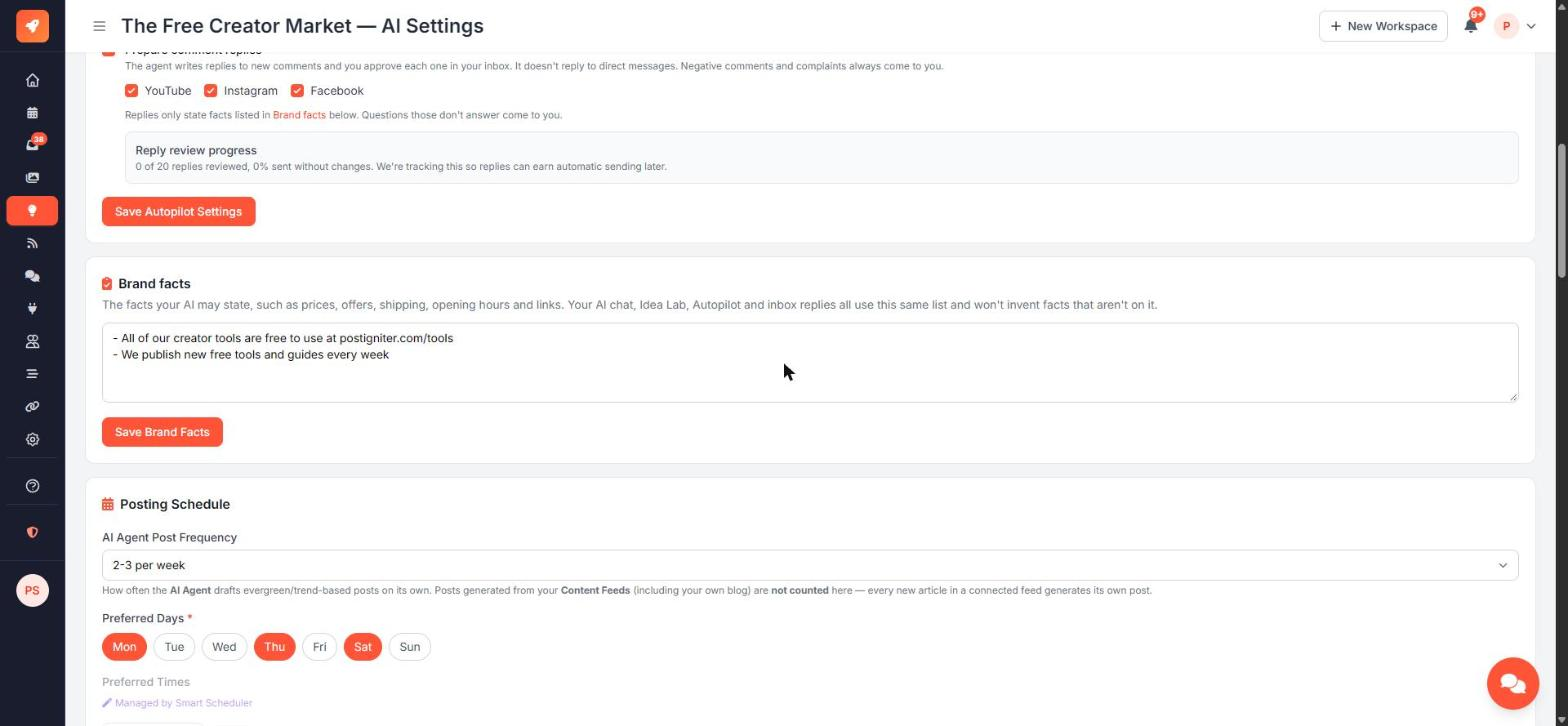
The same list is used by:
- the AI chat
- Idea Lab and Autopilot posts
- inbox reply drafts and Autopilot's comment suggestions
The AI won't invent facts that aren't on the list. In inbox replies, links, emails, phone numbers and prices are only allowed if they appear in your brand facts or saved replies.
Brand facts are available at every automation level and on every plan that includes AI.