
Activity Log
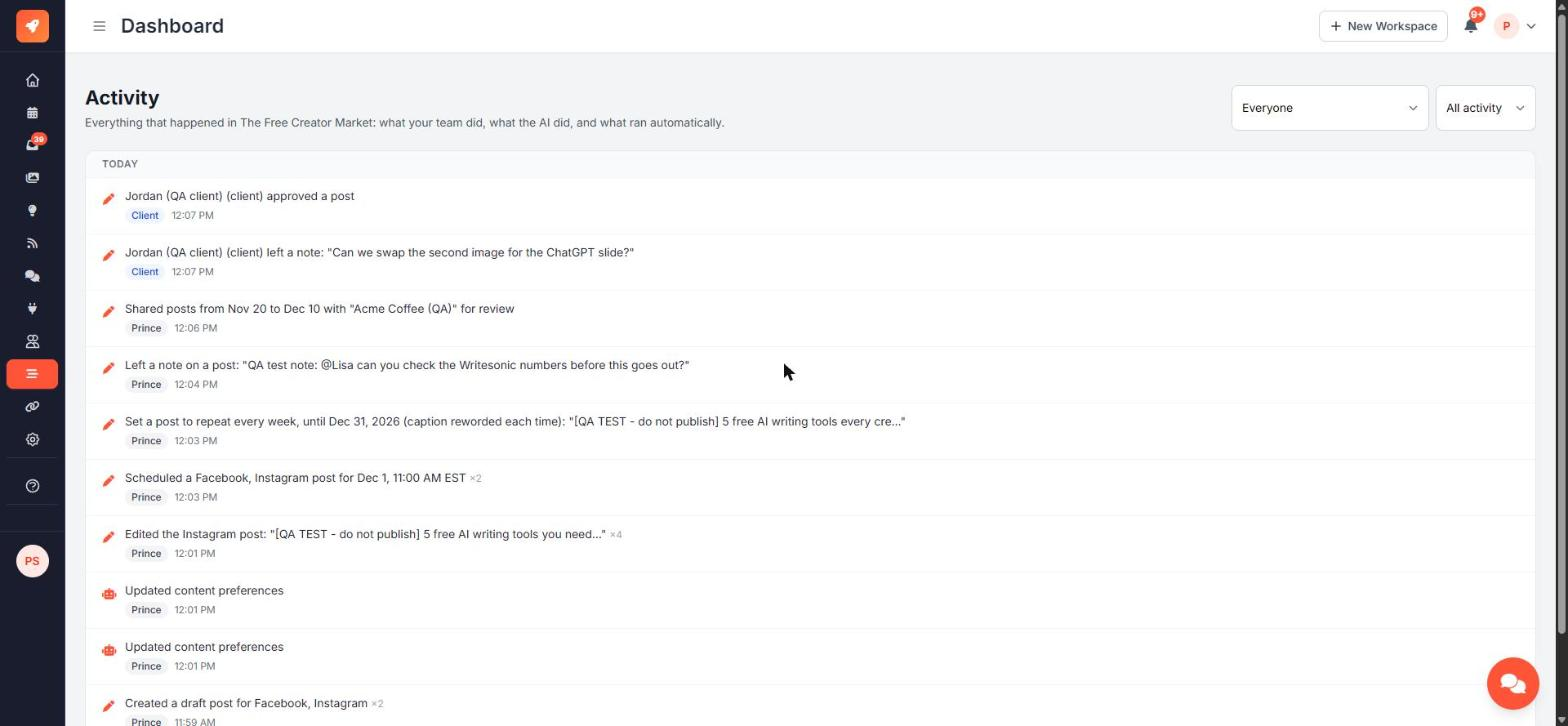
The Activity log is a timeline of everything that happened in your workspace. Every entry shows who did it and when.
Open it from Activity in the sidebar. Every member of the workspace can see it.
Who can appear
| Label | Meaning | |---|---| | A person's name | Someone on your team did it in the app | | AI chat (asked by …) | The AI chat did it for that person | | Autopilot | Full Autopilot or the Level 2 draft agent did it | | API | An automation using the Publishing API (n8n, Make, Zapier…) | | CSV | A bulk CSV import | | Client | A client using a review link | | System | Scheduled jobs, such as publishing or repeats |
What's recorded
- Posts: created, edited, scheduled, rescheduled, published, failed, deleted, submitted for approval, approved, changes requested, notes, repeats and imports
- Accounts: connected, needs reconnecting, reconnected, disconnected
- Inbox: assignments, status changes and new saved replies
- Team: invitations, people joining, role changes, removals
- AI and settings: automation level, brand facts, brand voice, Autopilot settings and other workspace settings
Repeated small changes, such as several autosaves of one post, are grouped into one line with a count (for example ×4).
Filters
Use the two menus at the top right:
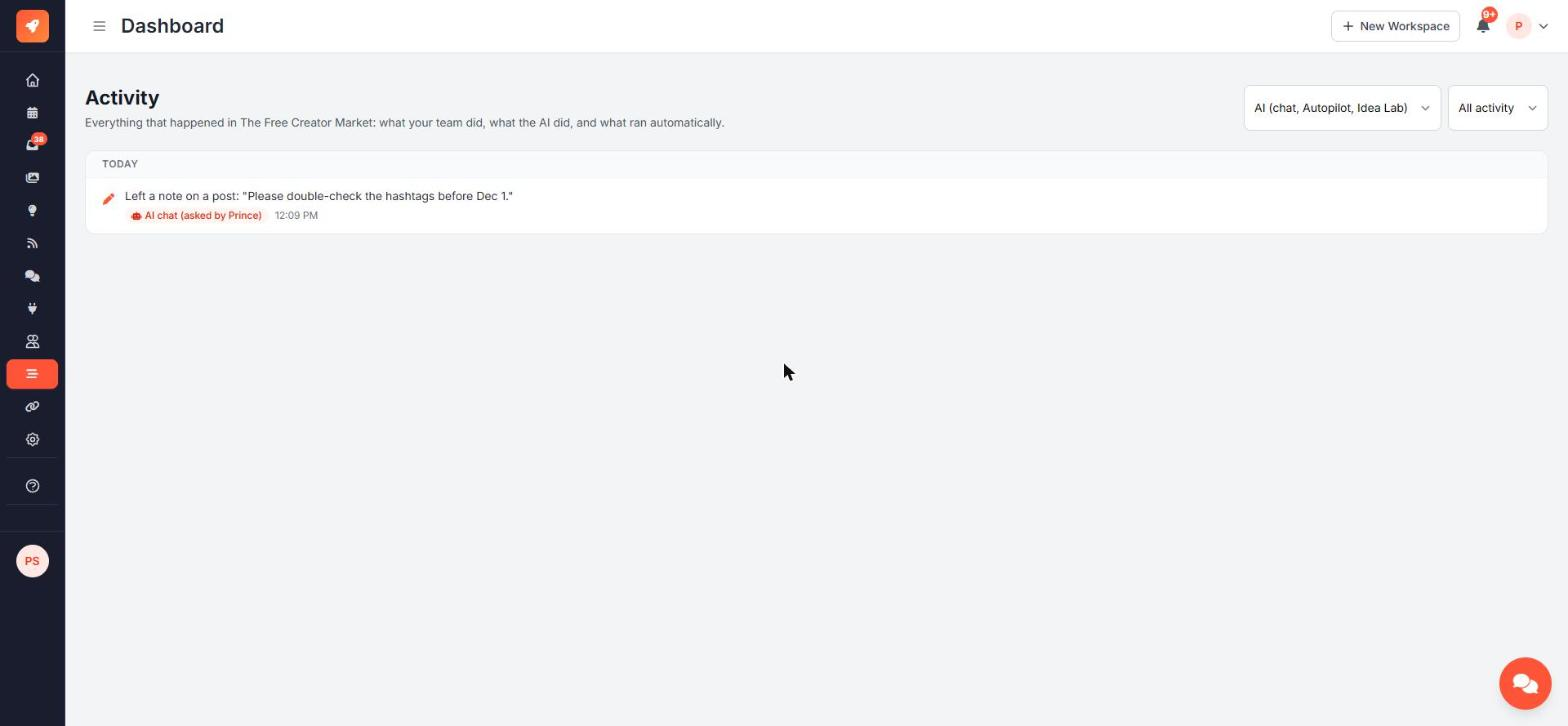
- Everyone / People / AI (chat, Autopilot, Idea Lab) / API & system
- All activity / Posts / Accounts / Inbox / Team / AI / Settings
Ask the AI chat
"What did the team do today?" or "What did Autopilot post this week?" The chat reads the same log.
Entries are kept for 180 days.