
What It Does
Every Pro workspace has its own AI agent. It learns your niche, your brand voice and what performs well for you, then suggests posts, drafts them, and can eventually publish them on autopilot. AI Settings is where you decide how much freedom the agent has and what guidance it follows.
Open it from Settings on the AI Agent bar of your dashboard, or from AI Settings in the Scheduler.
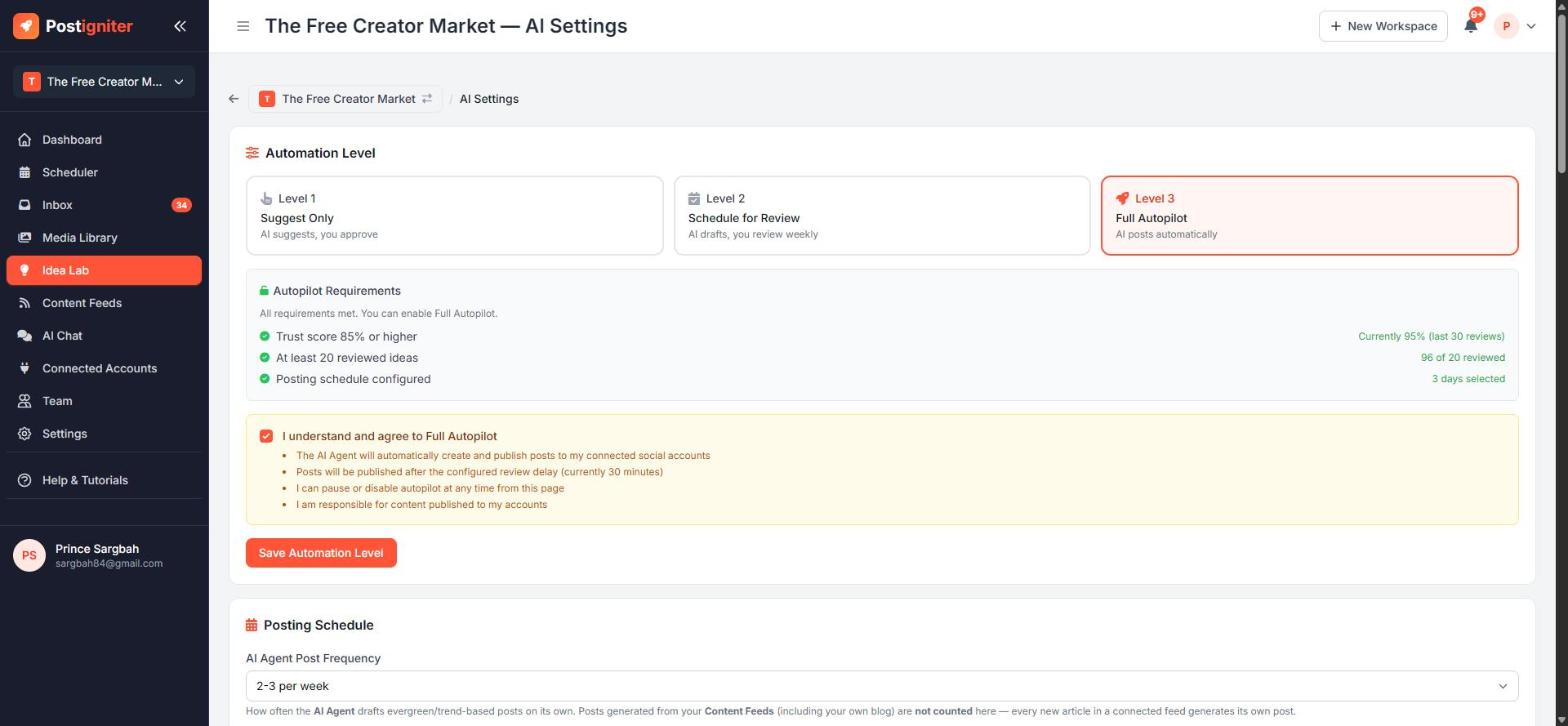
Automation Levels
- Level 1 — Suggest Only: the agent suggests ideas in the Idea Lab. Nothing is created or posted without you.
- Level 2 — Schedule for Review: the agent drafts and schedules posts based on your posting schedule. You review the batch before it goes out.
- Level 3 — Full Autopilot: the agent creates and publishes posts automatically within your posting schedule.
Full Autopilot unlocks once all of these are true:
- your trust score is 85% or higher (based on your last 30 reviewed ideas)
- you've reviewed at least 20 ideas
- you've set up a posting schedule
You'll also be asked to confirm that you consent to automatic posting. The requirements panel shows your progress on each one.
Posting Schedule (Level 2 and up)
Pick either:
- Daily mode — a posts-per-day range, a time window and a minimum gap between posts
- Preferred days and times — specific slots
On Level 3 you can also turn on the Smart Scheduler (the agent chooses the best times within your rules) and set a delay before publishing.
Brand Voice
Describe how your brand sounds (for example, "Casual and friendly, uses simple language, celebrates African culture") and who your target audience is. The agent uses this for every caption and idea.
AI Notes & Learnings
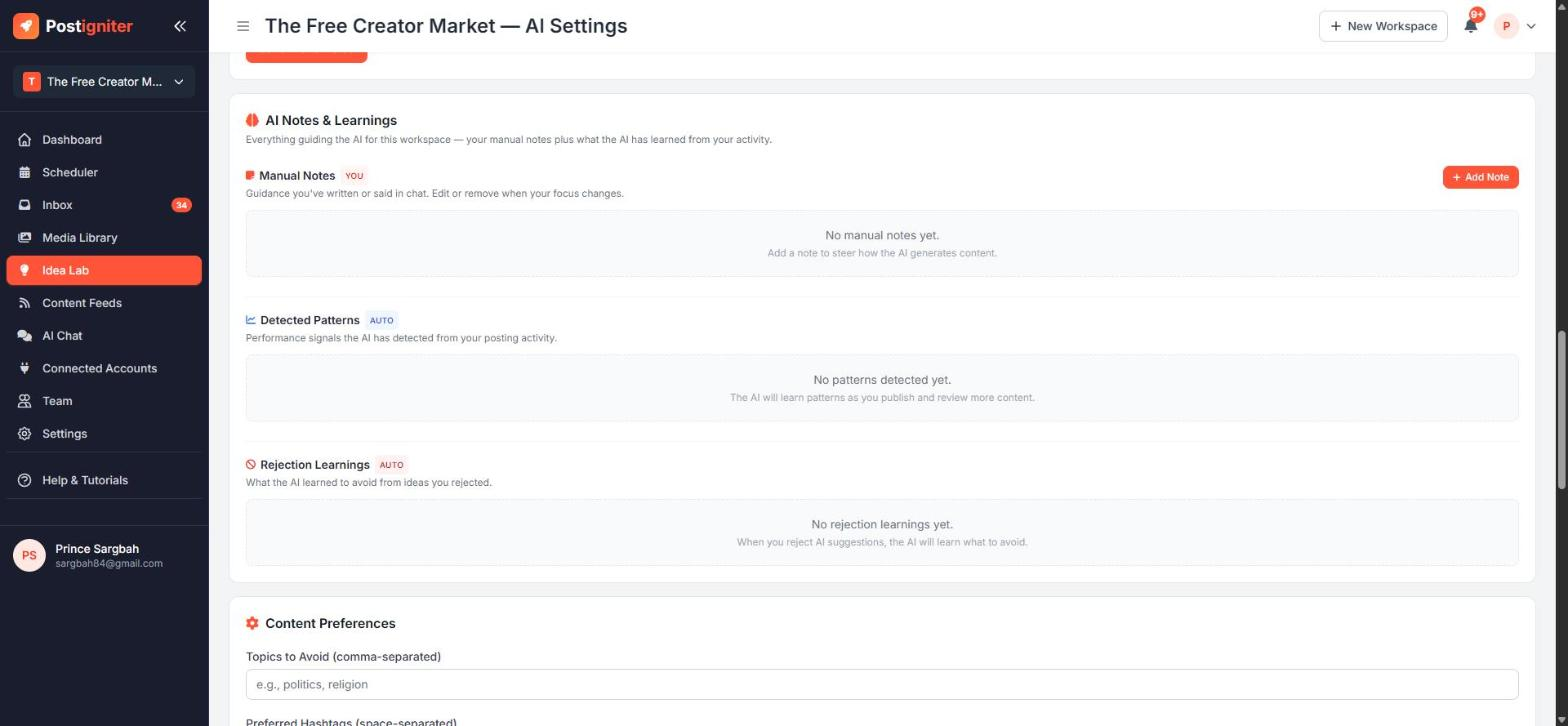
This section shows everything that guides the AI for this workspace:
- Manual Notes — guidance you've written here or said in AI Chat, such as "Never mention competitors by name". Click Add Note to add one. You can edit or delete notes at any time.
- Detected Patterns — performance signals the AI has picked up from your posting activity.
- Rejection Learnings — what the AI learned to avoid from ideas you rejected. Remove any you disagree with.
Content Preferences
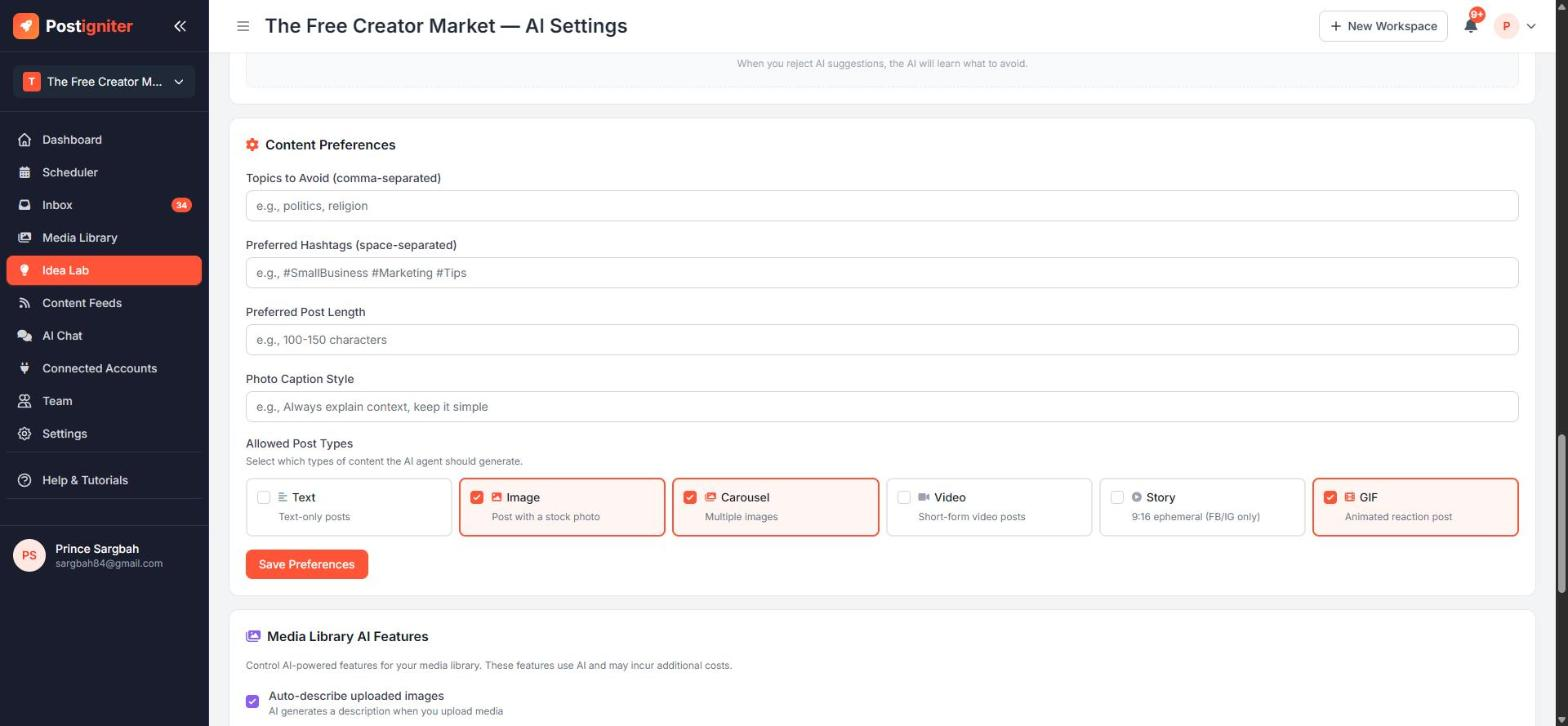
- Topics to avoid — comma-separated, for example politics, religion
- Preferred hashtags
- Preferred post length
- Photo caption style
- Allowed post types — Text, Image, Carousel, Video, Story and GIF. The agent only creates the types you tick.
Media Library AI Features controls whether uploads are automatically described, tagged and grouped into carousels.
Idea Lab Generation, Agent Control and Reset
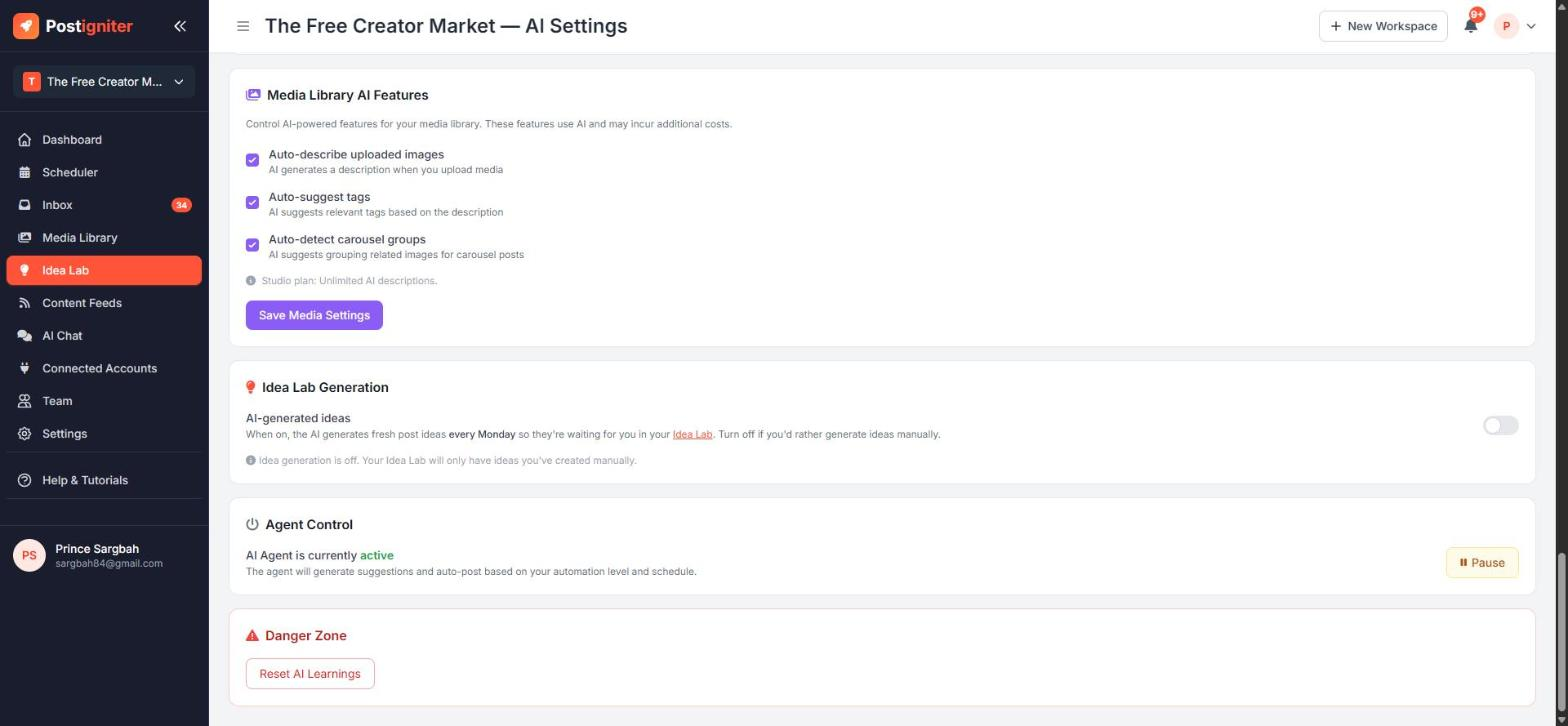
- Idea Lab Generation — when on, the AI fills your Idea Lab with fresh ideas every week.
- Agent Control — Pause stops the agent from generating or posting anything until you resume it.
- Danger Zone → Reset AI Learnings — clears what the agent has learned so it starts fresh. This can't be undone.
Tips for Best Results
- Start on Level 1 and review ideas for a couple of weeks. Every approval or rejection teaches the agent.
- Give a reason when you reject an idea. Rejection reasons become learnings, which raise the quality of future ideas faster.
- Write a few Manual Notes early. Short, specific rules beat long descriptions.
- Untick post types you can't produce. For example, untick Video if you don't make video, so you never get ideas you can't use.