
What It Does
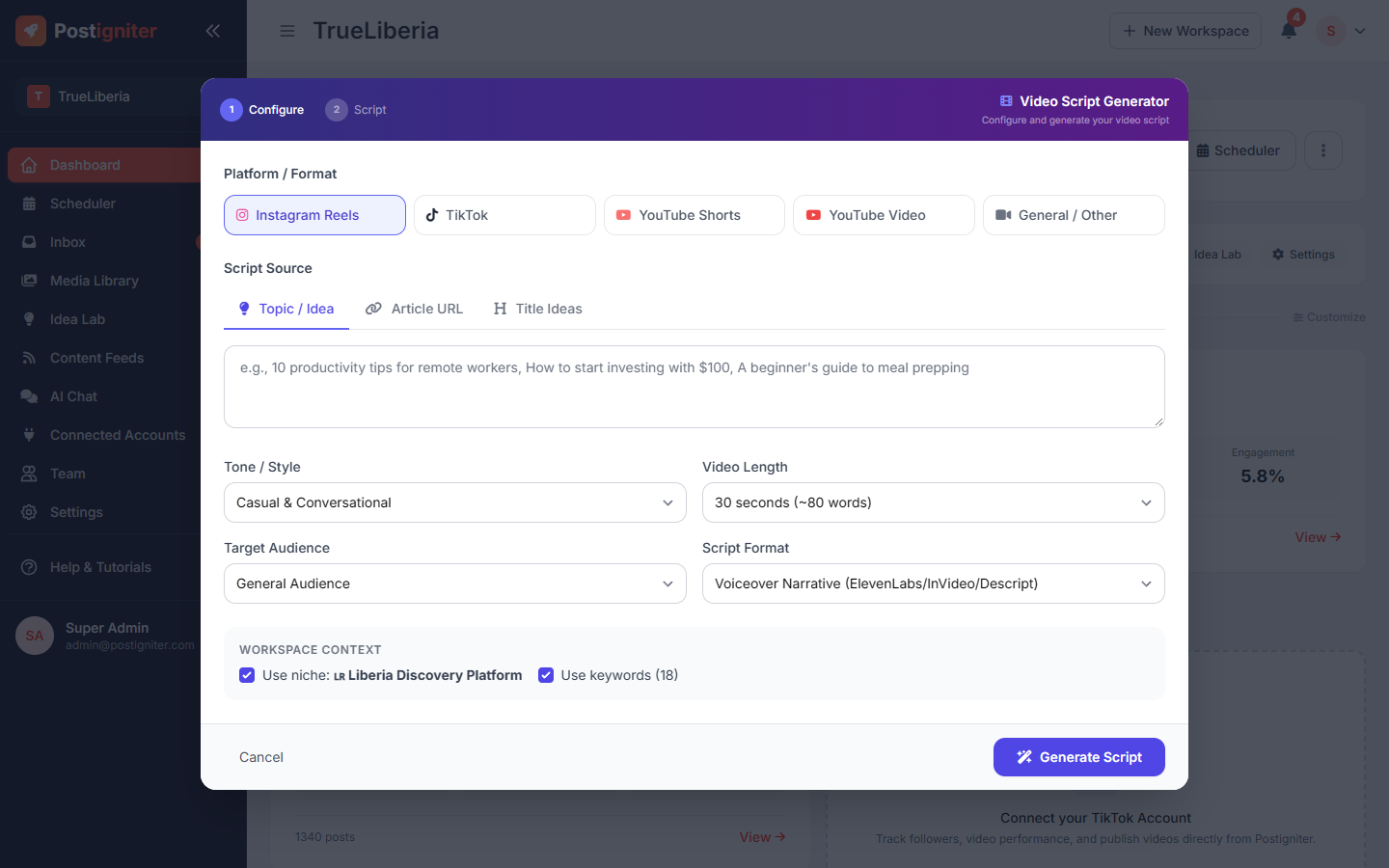
The Video Script Generator writes a complete, platform-ready script from a topic, an article or a list of title ideas. Each script includes a scroll-stopping hook, the full script, and optional chapter timestamps and B-roll suggestions. It also comes with a video description and calls to action, all tuned to your workspace niche.
Open it with Script Generator on the workspace dashboard.
How to Use It
- Choose a platform / format: Instagram Reels, TikTok, YouTube Shorts, YouTube Video or General/Other.
- Choose a script source:
- Topic / Idea — describe what the video is about
- Article URL — paste a blog post and the AI turns it into a script
- Title Ideas — start from a list of titles
- Set the options:
- Tone / Style — for example Casual & Conversational
- Video Length — the choices depend on the platform
- Target Audience
- Script Format — voiceover narration, on-camera narration, talking points or a hybrid
- for YouTube, whether to include chapter timestamps and B-roll suggestions
- Leave Use niche and Use keywords ticked so the script fits your workspace.
- Click Generate Script.
What You Get
- Hook — the opening lines that grab attention
- Full script, broken into sections
- Chapters with timestamps (YouTube)
- B-roll suggestions — what to show on screen
- Description ready to paste into the platform
- Calls to action and delivery tips
Bookmark scripts you want to keep, or click Generate another for a different take.
Script History
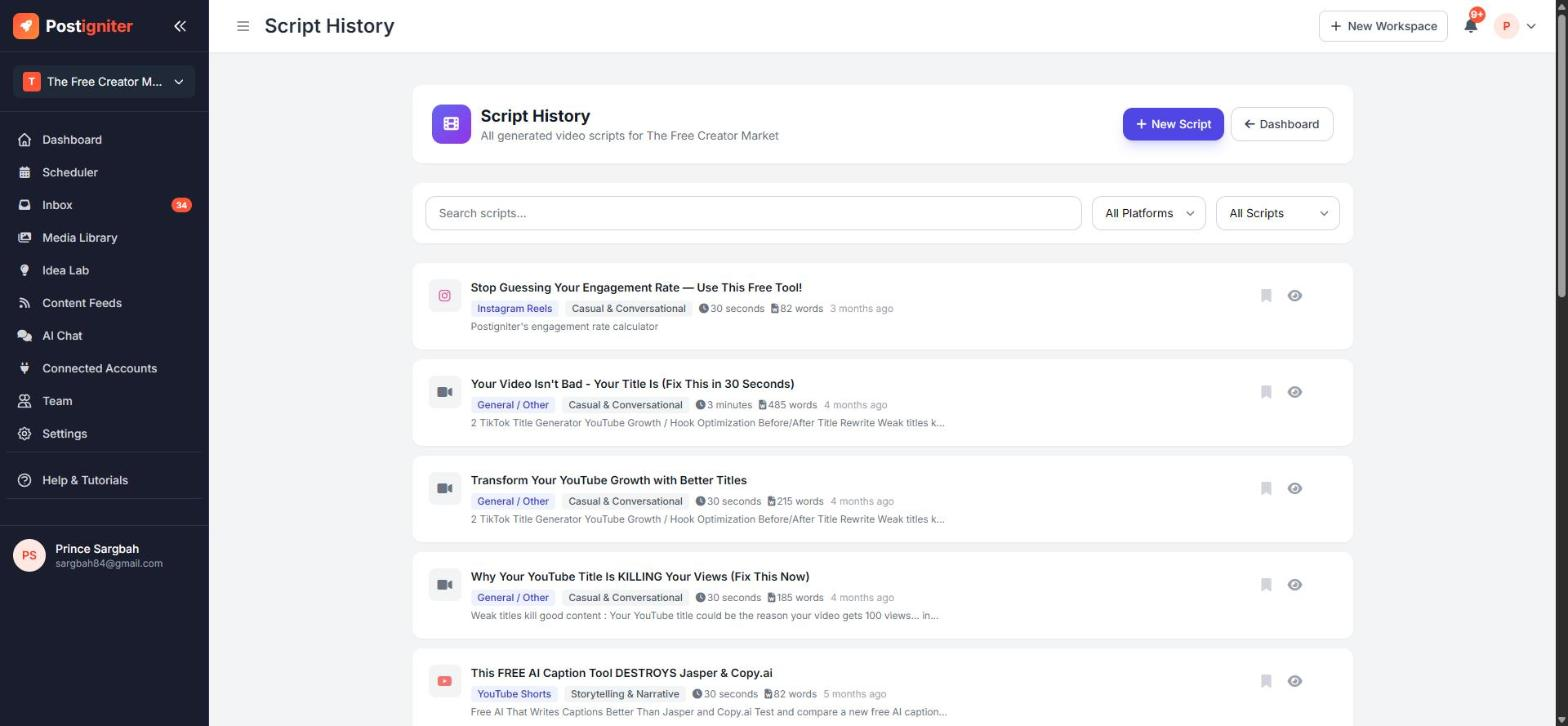
Every script is saved automatically. Open ⋮ → Script History on the dashboard to search, filter by platform, show bookmarked scripts only, re-open or delete scripts.
Tips for Best Results
- Be specific in your topic. "5 street foods to try in Monrovia under $5" gives a far better script than "street food".
- Use Article URL to repurpose your best blog posts into videos.
- Read the hook out loud. If it doesn't grab you in the first two seconds, regenerate.