
Client Review Links
A client review link is a private page that shows your client the posts planned for a date range. They can approve each post or leave a note. They don't need a Postigniter account.
Only owners and admins can create links.
Create a link
- Open the Scheduler (content calendar).
- Click Share for review.
- Enter the client's name, for example "Acme Coffee".
- Pick the From and To dates. You can share up to 92 days at once.
- Choose how long the link works: 3, 7, 14 or 30 days.
- Click Create review link, then Copy and send it to your client.
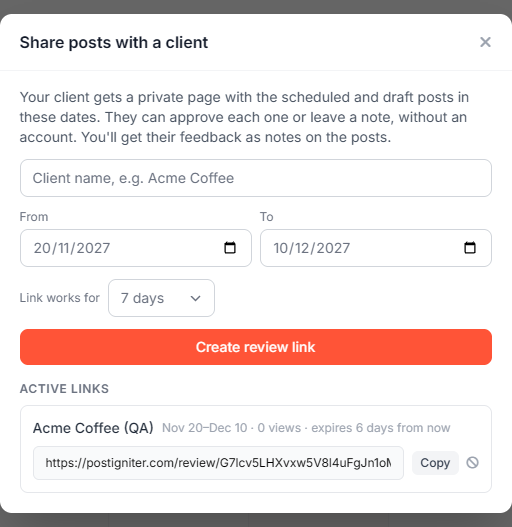
The Active links list shows each link's dates, how many times it was viewed and when it expires. Click the turn-off icon next to a link to stop it working at once.
What your client sees
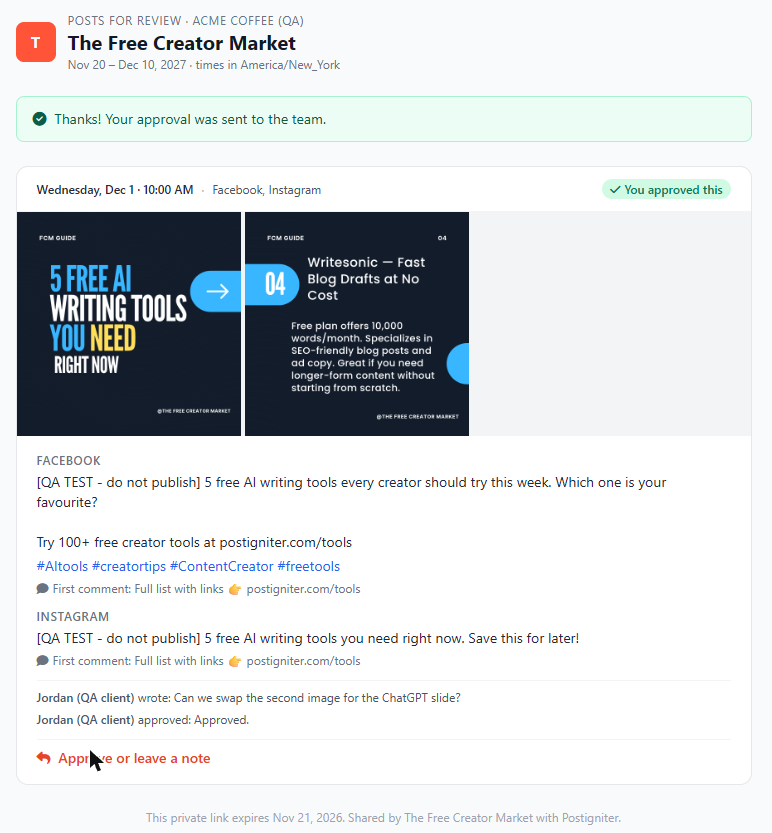
The page shows every scheduled post and every post awaiting approval in the date range, with:
- the images or video
- the caption and hashtags for each platform
- the first comment, if there is one
- any notes they left before
Times are shown in your workspace's time zone.

The client clicks Approve or leave a note, types their name and either:
- Approve: adds an optional note and marks the post "You approved this"
- Send note: sends feedback without approving
Their name is remembered for the rest of their visit.
Where feedback shows up
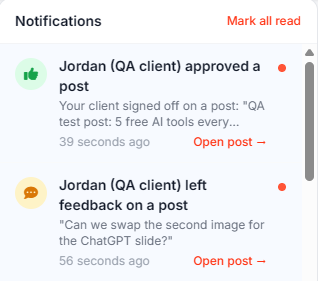
- You and the other reviewers get a notification for each note and approval.
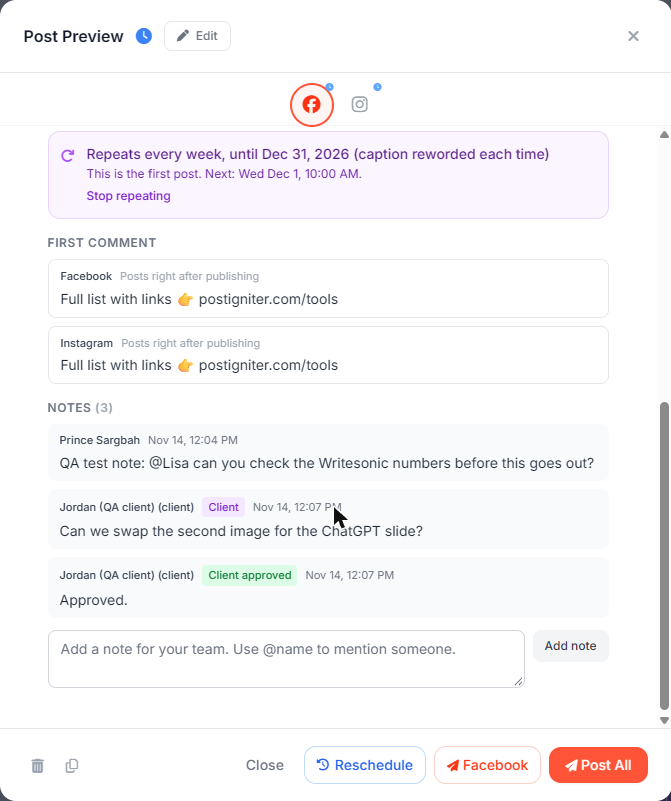
- The notes appear on the post with a Client or Client approved badge.
- The Activity log records them under "People".
A client's approval is a sign-off for your team. It does not schedule or publish anything. Scheduling is still done by an owner or admin.
Security
- Links expire automatically and can be turned off at any time.
- The page isn't indexed by search engines.
- Clients can only act on the posts shown in their link.
Ask the AI chat
"Make a client review link for Acme Coffee for next week". The chat replies with the link. Client feedback is also shared with the AI, so future drafts lean towards what the client approves.