
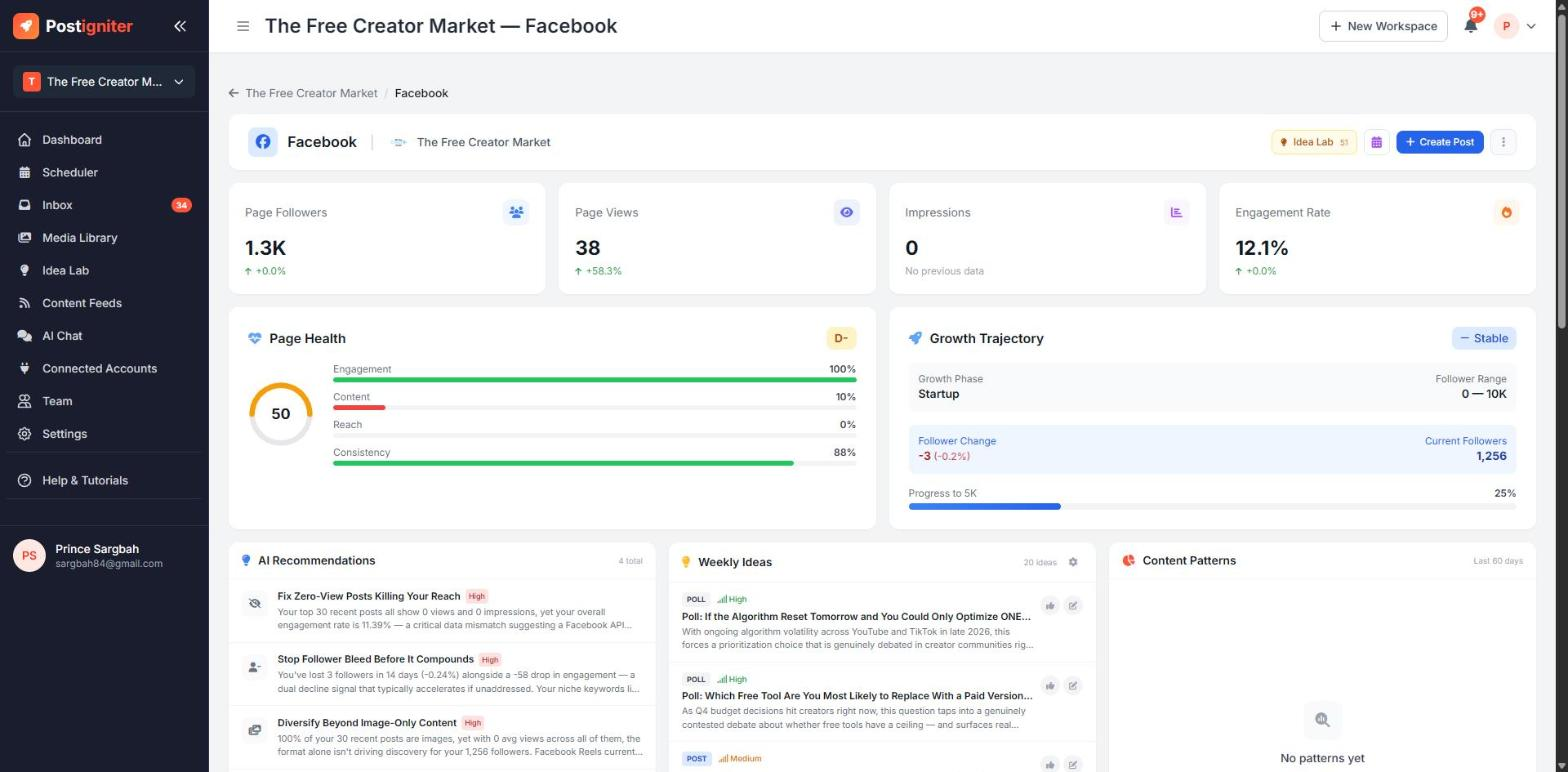
What It Does
Each connected platform gets its own analytics dashboard with:
- your key stats
- a health score
- growth tracking
- AI recommendations
- daily post ideas
- a breakdown of your recent posts
Open one by clicking View on a platform card on your workspace dashboard.
What's on the Dashboard
- Stat cards — followers, page views or reach, impressions and engagement rate, with the change since the last period.
- Health score — a 0–100 score with a letter grade. It combines engagement, content mix, reach and posting consistency, and the bars show which area is holding you back.
- Growth Trajectory — your current growth phase, follower change and progress towards your next follower milestone.
- AI Recommendations — specific, prioritised actions based on your data, for example "Diversify beyond image content".
- Weekly / Daily Ideas — fresh post ideas for this platform. Approve one to turn it into a post. Click the gear to set format preferences or teach the AI.
- Content Patterns — what's working, once you have enough posts of each type.
- Recent Posts — your latest posts with likes, comments and shares, each labelled Hot, Above Avg, Average or Below Avg. Click Optimize to get AI suggestions for improving a post, or open it for detailed insights.
Use Create Post at the top of the dashboard to start a post for this platform. Use Idea Lab to jump to all your ideas.
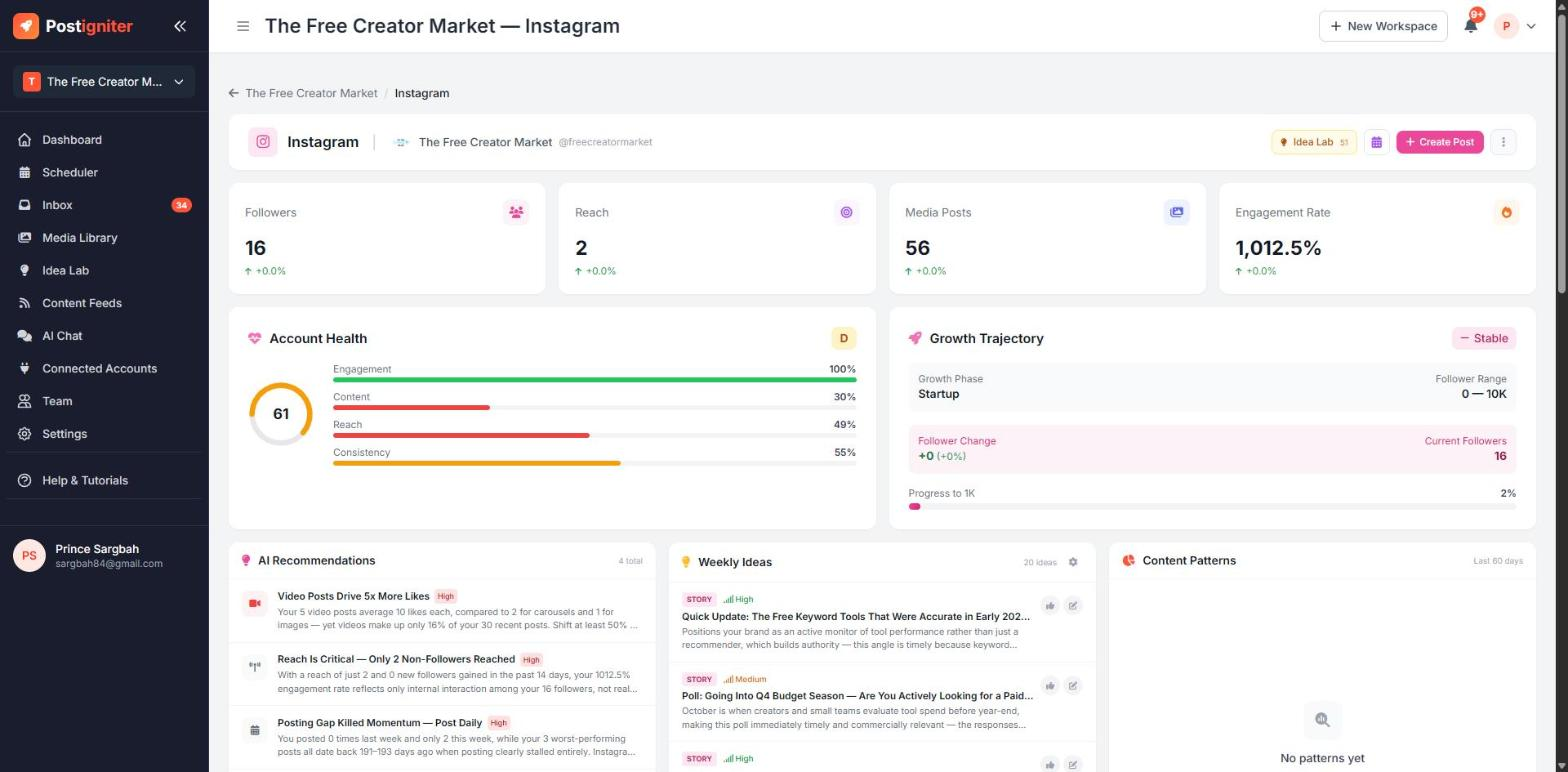
The Instagram dashboard works the same way, showing followers, reach, media posts and engagement rate. It requires an Instagram Business or Creator account connected through Facebook. See Connecting Your Social Accounts.
YouTube
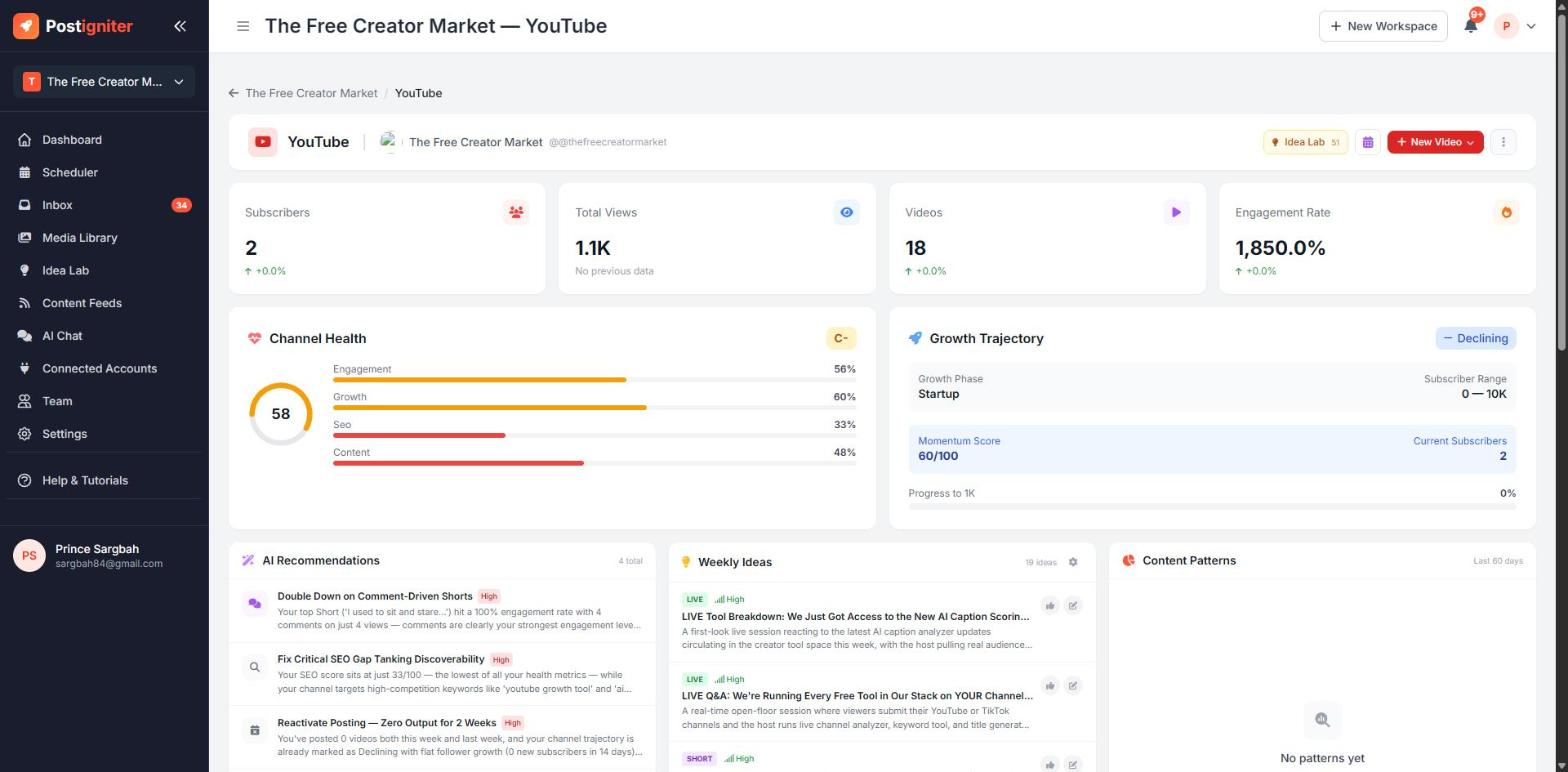
The YouTube dashboard shows subscribers, total views, video count and engagement rate. It also shows a Channel Health score built from engagement, growth, SEO and content, and a Momentum Score in Growth Trajectory.
There are two ways to set up the YouTube dashboard:
- Connect YouTube Account — full analytics plus publishing and comment replies.
- Add Channel by URL — paste your channel URL or @handle to see public analytics without signing in. You can't publish this way.
Once it's set up, the YouTube dashboard adds:
- Generate Video Metadata — AI titles, descriptions and tags for a new video
- Video Optimizer — compares your current title, description and tags with AI-improved versions
- Thumbnail analysis on your recent videos
- a shortcut to create a YouTube Short
Tips for Best Results
- Work on the lowest health bar first. It usually gives the biggest improvement for the least effort.
- Act on one AI recommendation at a time and check back a week later to see its effect.
- Use Optimize on your Below Avg posts. It's the quickest way to learn what your audience doesn't respond to.