
Recurring Posts
Recurring posts let you repeat an evergreen post, such as a weekly tip or a monthly reminder, without creating it again each time.
Set up a repeat
- Create a post and go to the Schedule step.
- Choose Schedule (or Publish Now).
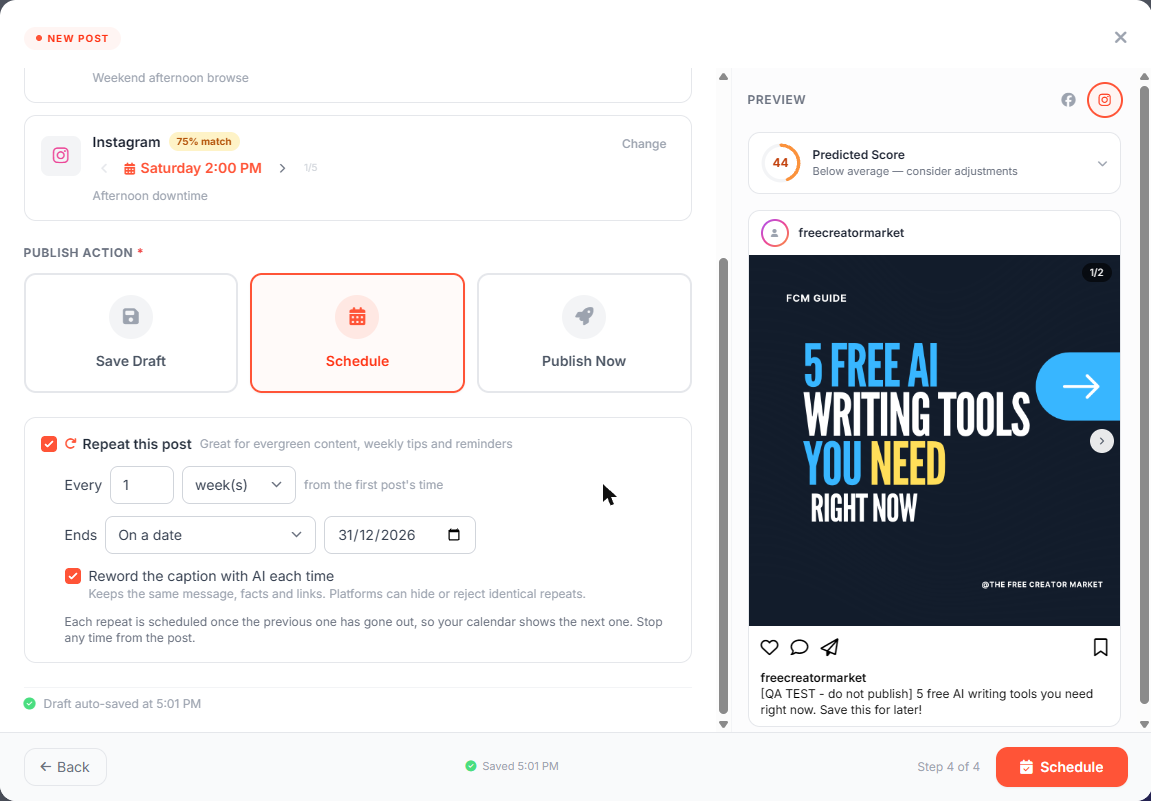
- Tick Repeat this post.
- Set how often: Every N day(s), week(s) or month(s), counted from the first post's time.
- Set when it ends:
- Never (until you stop it)
- After a number of posts (the total, including the first one)
- On a date
- Click Schedule.
Make sure the end date is after the first post's date. A series that ends before its first post only goes out once.
Reword the caption with AI each time (Pro)
Facebook and Instagram can hide posts that are exactly the same as an earlier one. With Reword the caption with AI each time, every repeat gets a fresh caption with the same message, facts and links. This is a Pro plan feature. On other plans, repeats use the same caption.
How repeats are scheduled
Only one upcoming repeat is on your calendar at a time. The next one is created after the previous one has gone out, so your calendar never fills up with copies.
Each repeat copies the latest version of the post: caption, hashtags, first comment and media.
See or stop a series
Open the post in the calendar. The preview shows a box like:
Repeats every week, until Dec 31, 2026 (caption reworded each time). This is the first post. Next: Wed Dec 1, 10:00 AM.
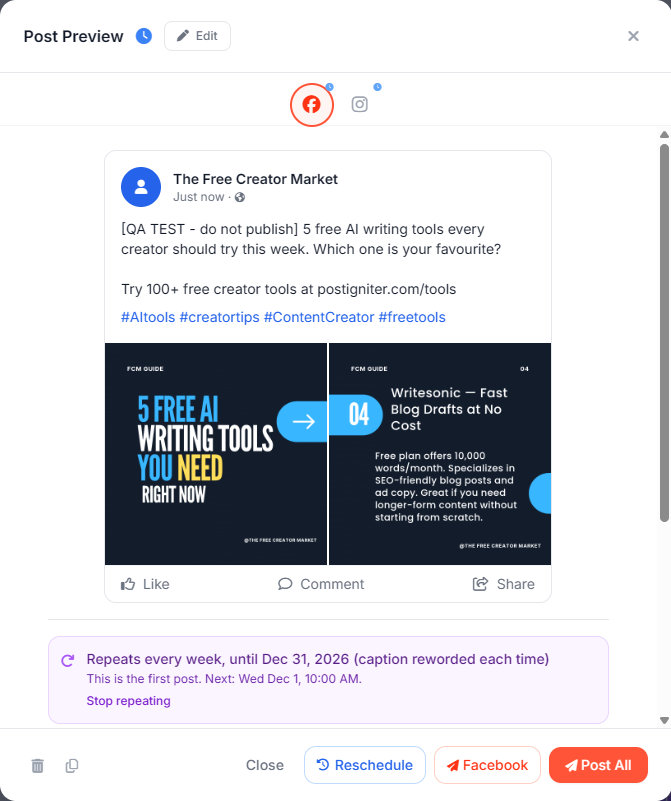
Click Stop repeating, then confirm with Stop. The upcoming repeat is removed. Posts already published stay as they are.
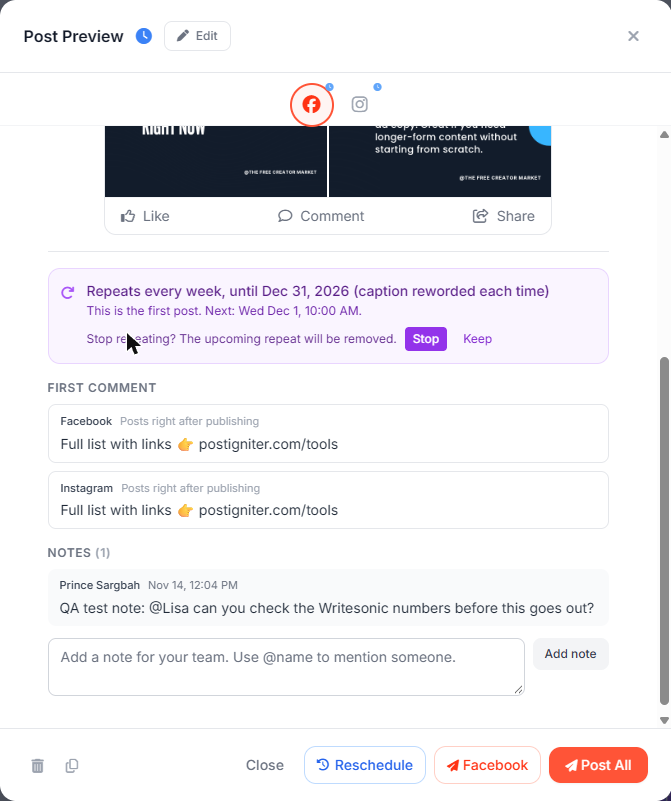
Deleting the first post or the upcoming repeat also stops the series.
Good to know
- People who need approval can add a repeat to a draft. The reviewer sees the repeat rule when approving.
- On the Free plan, a repeat that would go over your weekly post limit is saved as a draft for you to schedule.
- Repeats don't count towards Autopilot's weekly limit, but Autopilot leaves space around them so it never posts on top of one.
Ask the AI chat
- "Repeat post 123 every week"
- "Repeat post 123 every 2 weeks, 4 times in total"
- "Stop repeating post 123"