Instagram Creator Tools Not Showing? A Practical Guide to Unlocking Monetization & AI Caption Workflows
Postigniter Team
June 20, 2026
Why Are Creator Tools Instagram Not Showing on Your Account?
If you have noticed that creator tools Instagram not showing on your profile, you are not alone. Thousands of creators hit this wall every week, and it stalls their growth, monetization, and content strategy. The good news is that most causes are fixable in minutes. This guide walks you through every troubleshooting step, then shows you how to level up with AI caption workflows once you regain access.

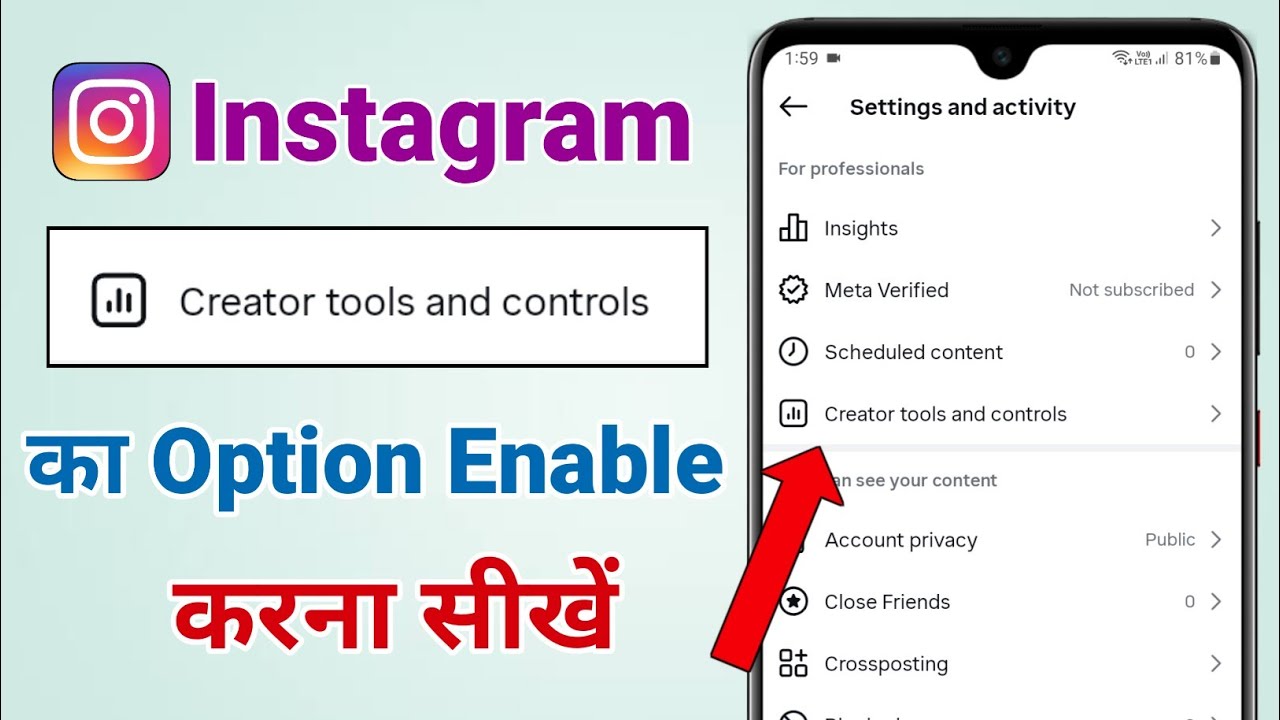
Instagram's Creator Tools sit inside your professional account settings. They unlock features like the Professional Dashboard, monetization badges, Branded Content tools, and detailed audience insights. Without these tools, you are essentially flying blind. Understanding why they disappear is the first step to getting them back for good.
Common Reasons Creator Tools Instagram Not Showing
Before you dive into fixes, it helps to know the root causes. Instagram restricts or hides Creator Tools for several reasons. Most issues fall into one of these five categories:
- Wrong account type: Creator Tools only appear on Professional accounts (Creator or Business). Personal accounts do not have access.
- App version outdated: An old version of the Instagram app can hide newer features entirely.
- Region or eligibility restrictions: Some monetization features are only available in certain countries.
- Community guideline violations: A flagged account may have features temporarily removed.
- Incomplete profile setup: Missing a category, bio, or profile photo can block access to the full dashboard.
Additionally, Instagram sometimes rolls out features gradually. Therefore, your account may simply be waiting for a server-side update to reach your region or device.
Step-by-Step Troubleshooting: Get Your Creator Tools Back
Step 1 — Switch to a Professional Account
First, confirm your account type. Go to Settings → Account → Switch to Professional Account. Choose Creator if you are an individual influencer, or Business if you represent a brand. Both account types unlock the Professional Dashboard and Creator Tools menu. Furthermore, make sure you pick a relevant category — Instagram uses this to determine feature eligibility.
Step 2 — Update the Instagram App
An outdated app is one of the most common culprits. Open your device's App Store or Google Play Store and check for pending updates. Always run the latest version to ensure you have access to every feature Instagram has released. Moreover, try force-closing the app and reopening it after the update to clear any cached states.
Step 3 — Check Your Account Standing
Navigate to Settings → Account → Account Status. Here, Instagram shows any active restrictions or policy violations. Consequently, if a flag is present, follow the on-screen steps to appeal or resolve it. Instagram's official Help Center outlines the appeals process in detail. Resolving violations is critical before Creator Tools will reappear.
Step 4 — Complete Your Profile
Instagram's algorithm favors complete profiles. Make sure you have a profile photo, a bio, a category, and a contact option filled in. Specifically, go to Edit Profile and fill every available field. Incomplete profiles are often silently excluded from advanced feature rollouts.
Step 5 — Clear Cache and Reinstall
On Android, go to Settings → Apps → Instagram → Clear Cache. On iOS, delete and reinstall the app. This forces a fresh connection to Instagram's servers. As a result, features that were previously hidden due to a stale cache often reappear immediately after reinstalling.
Step 6 — Check Regional Availability
Some Creator Tools — especially monetization features like Subscriptions and Badges — are not yet available in every country. According to Social Media Examiner, Instagram continues to expand these features region by region. Therefore, if your core tools are missing, check Instagram's announcements for your country's rollout status.
Step 7 — Contact Instagram Support
If none of the above steps work, go to Settings → Help → Report a Problem. Describe the issue clearly and include screenshots. However, be patient — Instagram support response times can vary from a few hours to several days. Meanwhile, keep your account active and in good standing to avoid further delays.
Understanding What Creator Tools Actually Unlock
Once your tools are restored, it is worth knowing exactly what you have gained. Creator Tools give you access to a powerful set of features that directly impact your growth and income.
- Professional Dashboard: A central hub for reach, account activity, and monetization status.
- Insights: Deep data on follower demographics, post performance, and story views.
- Branded Content Tools: Tag business partners in posts and Stories for paid partnerships.
- Live Badges: Let followers buy badges during your Live sessions to support you directly.
- Subscriptions: Offer exclusive content to paying subscribers each month.
- Creator Marketplace: Connect with brands looking for influencers in your niche.
Notably, the Insights panel is the most underused tool in this list. It tells you exactly when your audience is online, what content they engage with most, and which demographics follow you. This data is pure gold for building a smarter content strategy.
Connecting Creator Tools Insights to an AI Caption Workflow
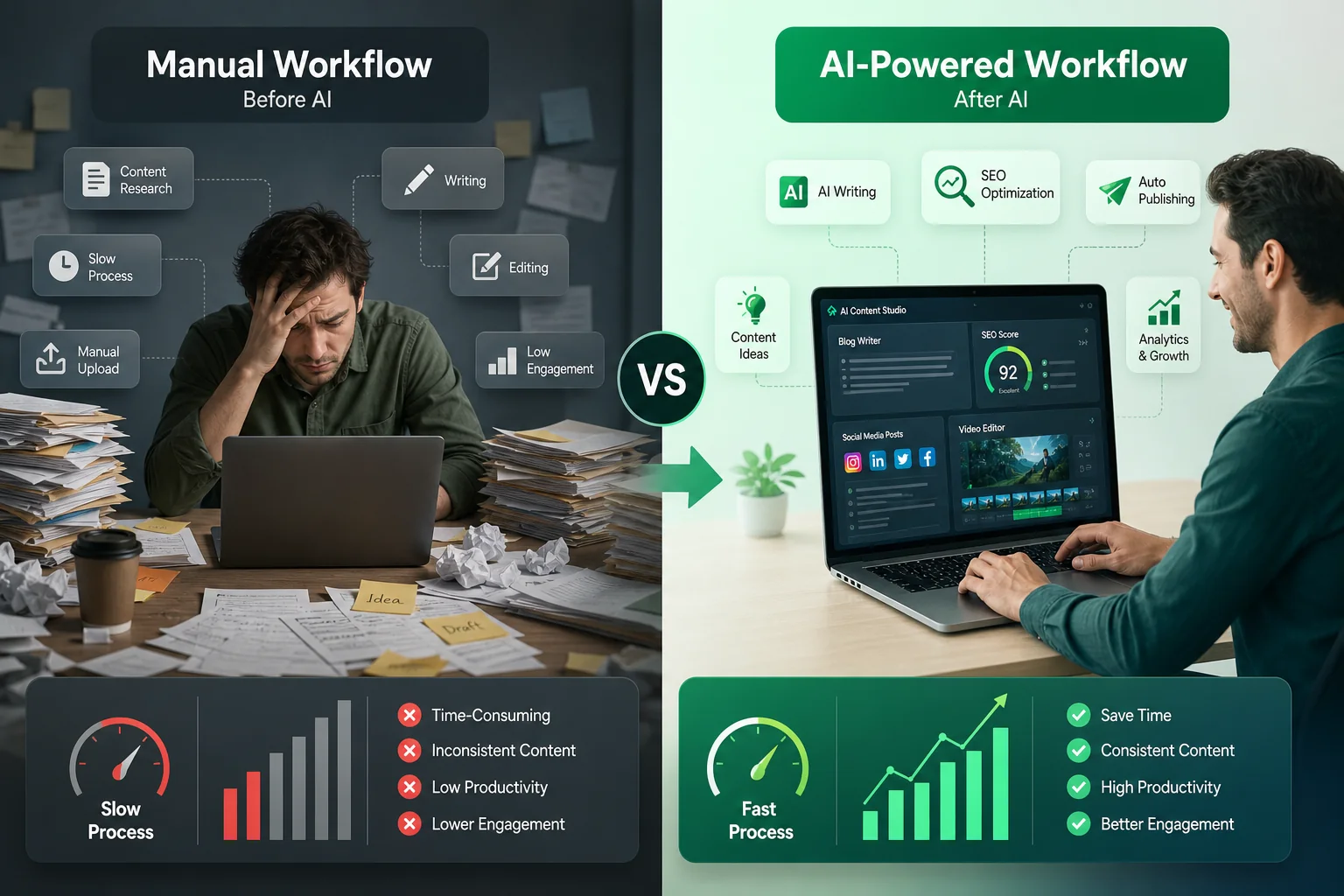
Most guides stop at fixing the access problem. However, the real opportunity lies in combining Creator Tools data with AI-powered content creation. Once you know what your audience responds to, you can feed that context into AI tools to generate captions, hooks, and scripts that are built to convert.
Here is a practical workflow you can start using today:
- Pull your top-performing post data from Instagram Insights. Note the content type, posting time, and caption style of your three best posts.
- Identify your audience's peak hours using the Insights → Audience tab. Cross-reference this with our Instagram best time to post guide for data-backed scheduling recommendations.
- Generate AI captions using your top post themes as prompts. Tools like the Postigniter Image Caption Generator turn your visual content into optimized, engaging captions in seconds.
- Create viral hooks for your Reels and carousel posts using the Post Hook Generator. A strong first line is the difference between a scroll-past and a save.
- Rank your captions before posting with the Caption Ranker to pick the version most likely to drive engagement.
- Schedule your posts at the exact times your audience is most active, using a social media management tool that supports Instagram.
Furthermore, this workflow is repeatable. As your Insights data updates weekly, you can refine your AI prompts to match shifting audience behavior. Consequently, your content gets sharper over time without requiring more manual effort.
Why AI Captions Work Better When Paired With Real Data
AI caption generators are powerful on their own. However, they become significantly more effective when you give them real context. For instance, if your Insights show that your audience engages most with educational content on Tuesday evenings, you can prompt your AI tool to generate captions in a teaching tone, scheduled for that exact window.
According to Sprout Social's Instagram statistics, posts published at audience-optimized times see up to 20% higher engagement rates. Therefore, combining timing data from Creator Tools with AI-generated copy is one of the highest-leverage moves available to creators today.
Building a Repeatable Content System With Postigniter
Once you have your Creator Tools working and your AI caption workflow in place, the next step is building a system that runs consistently. Consistency is the single biggest driver of Instagram growth, and the creators who grow fastest are those who treat content like a production pipeline, not a one-off task.
Postigniter is built for exactly this. It brings together free AI social media tools — including caption generators, hook writers, carousel builders, and scheduling guides — under one roof. Specifically, you can use the Carousel Generator to turn your best Insights data into swipeable educational posts that drive saves and shares.
Moreover, the platform supports multiple social channels. So the same workflow you build for Instagram can be adapted for TikTok, YouTube, LinkedIn, and more. As a result, your content engine scales across platforms without doubling your workload.
Quick-Reference: Your Creator Tools + AI Workflow Checklist
- ✅ Confirm account is set to Creator or Business type
- ✅ Update Instagram app to the latest version
- ✅ Resolve any account standing issues
- ✅ Complete your profile (photo, bio, category, contact)
- ✅ Review Insights weekly for top content and peak hours
- ✅ Use AI caption tools to generate content based on top-performing themes
- ✅ Generate viral hooks for every Reel and carousel
- ✅ Rank captions before publishing
- ✅ Schedule posts at audience-optimized times
- ✅ Repeat and refine every week
Conclusion: Fix the Problem, Then Build the System
Having creator tools Instagram not showing is frustrating, but it is a solvable problem. Follow the seven troubleshooting steps above and you will restore access in most cases within minutes. However, do not stop there. The real value of Creator Tools lies in the data they surface — data that becomes exponentially more powerful when paired with AI content generation.
Ultimately, the creators winning on Instagram in 2025 are not just those with the most followers. They are the ones with the smartest systems. By combining Instagram's native insights with free AI tools for captions, hooks, and scheduling, you can produce better content faster and grow with less guesswork.
Get started today — explore the full suite of free AI social media tools at Postigniter Tools and build the content workflow your Instagram account deserves. Discover how thousands of creators are already using AI to post smarter, not harder.
Tags
Postigniter Team
The Postigniter team shares practical tips and strategies to help creators grow their online presence.