Instagram Caption Generator for Reels: AI Prompts That Match 2026 Reels Trends
Postigniter Team
June 24, 2026
Why an Instagram Caption Generator for Reels Is Your 2026 Secret Weapon
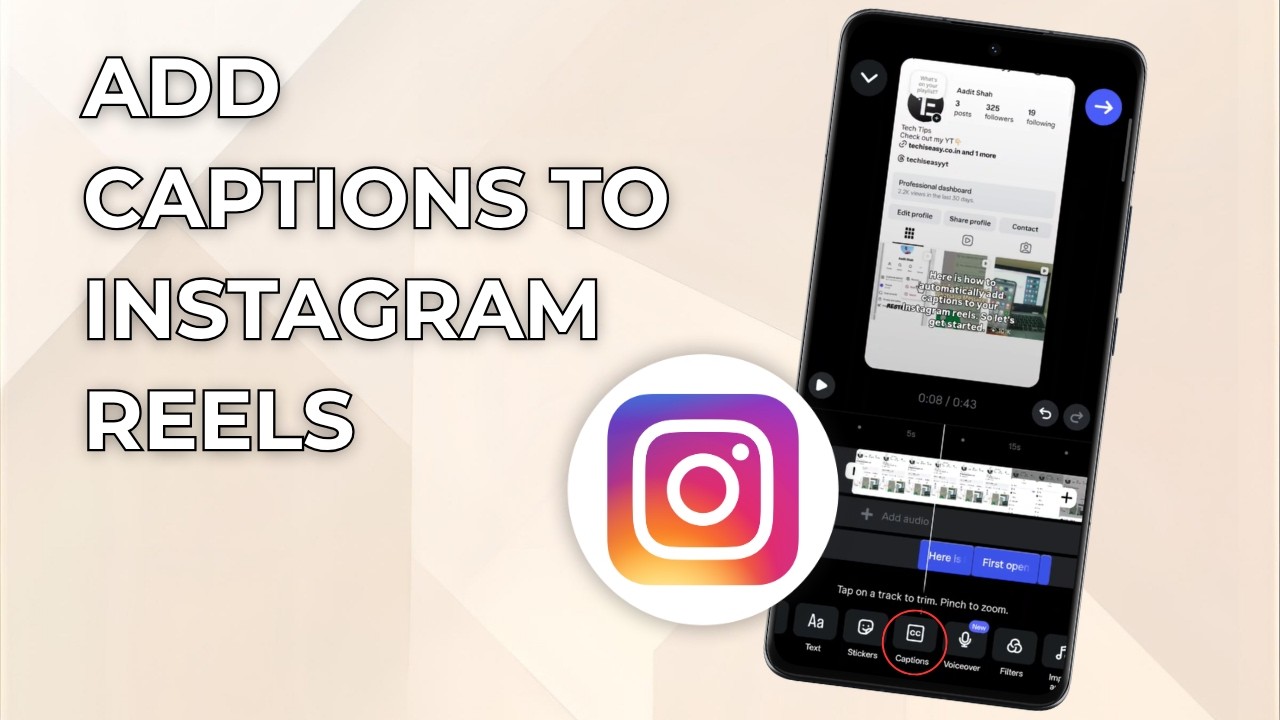
The Instagram caption generator for Reels has gone from a nice-to-have to a must-have tool for serious creators. In 2026, the Reels algorithm rewards content that keeps viewers watching and clicking — and your caption is a big part of that equation. A weak caption kills watch time. A sharp one pulls people in before they even press play. Furthermore, captions now act as keyword signals that help Instagram surface your Reels to new audiences. If you are still writing captions by hand without a system, you are leaving reach on the table.
This guide pairs the hottest 2026 Reels trends with specific AI caption prompts and ready-to-use templates. As a result, you will be able to generate captions that are short, punchy, SEO-aware, and built to drive shares. Whether you post lifestyle content, tutorials, or brand videos, these tactics work. Let's get into it.
How the Instagram Algorithm Reads Your Reels Caption in 2026
Instagram's algorithm has grown smarter at reading caption text as a ranking signal. Instagram's own transparency blog confirms that relevance signals — including keywords in captions — affect how widely a Reel is distributed. Specifically, the algorithm scans your caption for topic signals and matches them to user interest graphs. Therefore, stuffing your caption with random hashtags no longer works. Instead, you need intentional keyword placement baked into natural-sounding copy.
Additionally, captions influence two key engagement metrics: saves and shares. When a caption delivers value — a tip, a hook, a relatable line — viewers save it to revisit later. Consequently, saves send a strong quality signal to the algorithm. Shares push your Reel into new feeds entirely. Moreover, a well-crafted first line acts as a "thumb-stopper" that appears above the fold before a viewer taps "more." That first line is prime real estate.
- Keyword relevance: Use 2-3 niche-specific words the algorithm can categorize.
- First-line hook: Make the opening sentence impossible to scroll past.
- Call to action: Ask for saves, shares, or comments to boost engagement signals.
- Length sweet spot: 125-150 characters for Reels captions performs best in 2026.
- Hashtag count: 3-5 targeted hashtags outperform 30 generic ones.
Understanding these signals is step one. Step two is using an AI caption generator to produce copy that hits all of them — fast.
2026 Reels Trends and the AI Caption Prompts That Match Them
Trends move fast on Reels. However, each major trend format has a predictable caption structure that works alongside it. Below, we break down the top 2026 Reels trends and give you the exact AI prompts to generate captions for each one. Use these prompts inside a tool like the Postigniter Post Generator to get polished captions in seconds.
Trend 1: "Before and After" Transformation Reels
Before-and-after Reels dominate every niche — fitness, home decor, skincare, and more. They work because they create instant visual contrast. Notably, these Reels get high completion rates because viewers want to see the payoff. Your caption needs to tease the transformation without spoiling it.
AI Prompt to Use:
"Write a 130-character Instagram Reels caption for a [niche] before-and-after transformation video. Open with a curiosity hook. End with a save CTA. Use keywords: [your niche keyword]."
Template Output Example:
"I almost gave up on week 3. Then THIS happened. 🔥 Save this if you're on the same journey. #SkinTransformation #GlowUp #SkincareRoutine"
Trend 2: "POV" Story-Driven Reels
POV (Point of View) Reels place the viewer inside a scenario. They are deeply immersive and drive massive comment engagement because people relate and respond. Furthermore, POV captions should mirror the tone of the video — conversational and direct. The caption is part of the story.
AI Prompt to Use:
"Write a 140-character Instagram caption for a POV Reels video about [scenario]. Use second-person voice. Add one relatable emotion. End with a question to drive comments."
Template Output Example:
"POV: You finally said no to the thing that was draining you. Feels scary AND right at the same time, doesn't it? Drop a 🙌 if you've been here."
Trend 3: Fast-Cut Tutorial Reels (Under 30 Seconds)
Short tutorials are the fastest-growing Reels format in 2026, according to Social Media Examiner's annual trends report. Specifically, creators who teach something in under 30 seconds see 2x the share rate of longer how-to content. Your caption should reinforce the value and add a keyword the algorithm can latch onto.
AI Prompt to Use:
"Write a punchy 120-character Instagram Reels caption for a quick tutorial about [topic]. Lead with the outcome. Include one niche keyword. Add a save CTA."
Template Output Example:
"3-step morning routine that took me from exhausted to energized ⚡ Save this for tomorrow morning. #MorningRoutine #ProductivityTips #HealthyHabits"
Trend 4: "Hot Take" Opinion Reels
Hot takes generate comments like nothing else. Controversy (the respectful kind) is an algorithm hack because comments extend watch time indirectly — people rewatch to form their own opinion. Therefore, your caption should double down on the take, not soften it. Be bold.
AI Prompt to Use:
"Write a bold 135-character Instagram Reels caption for an opinion video about [topic]. State the hot take clearly. Ask viewers to agree or disagree in comments."
Template Output Example:
"Unpopular opinion: posting every day is ruining your content quality. Quality > quantity, always. Agree or fight me in the comments. 👇 #ContentCreation #CreatorTips"
Trend 5: Aesthetic "Day in My Life" Reels
Lifestyle Reels with a soft, aesthetic feel are surging in 2026, especially among audiences 18-34. Additionally, these Reels perform well in Explore because they appeal to broad interest graphs. The caption should feel personal and warm — like a journal entry, not a press release.
AI Prompt to Use:
"Write a warm, personal 130-character Instagram Reels caption for a 'day in my life' lifestyle video. Use a soft, reflective tone. End with a community-building question."
Template Output Example:
"Slow mornings, good coffee, and a to-do list I actually finished. ☕ What does your perfect day look like? Tell me below. #DayInMyLife #SlowLiving"
How to Use the Instagram Caption Generator for Reels the Right Way
Generating captions with AI is only half the job. The other half is knowing how to brief the tool so it outputs captions that are on-brand and trend-aware. Most creators get generic results because they give generic prompts. However, a few small changes to your prompt structure make a huge difference.
Here is a simple framework for writing prompts that get great results every time. Think of it as a recipe — leave out an ingredient and the dish suffers.
- State the format: Tell the AI this is for Instagram Reels, not a static post. Format context changes the output significantly.
- Set the character limit: Aim for 125-150 characters. Specify this in your prompt.
- Name the trend or tone: Is it a POV? A hot take? A tutorial? Name it explicitly.
- Include your niche keyword: Drop 1-2 keywords you want the algorithm to pick up.
- Specify the CTA: Tell the AI what action you want — save, comment, share, or follow.
- Add brand voice notes: Bold and direct? Warm and friendly? Tell the tool your tone.
For instance, instead of prompting "Write a caption for my workout video," try: "Write a 130-character Instagram Reels caption for a fast-cut home workout tutorial. Bold, motivating tone. Include keyword 'home workout.' End with a save CTA." The second prompt gives the AI everything it needs to deliver something usable on the first try.
Additionally, you can use the Postigniter Keyword Caption Generator to build captions around specific keywords automatically. This is especially useful when you want to align your caption with what your target audience is searching for on Instagram's internal search.
Boosting Watch Time and Shares With Caption Hooks
Your caption's first line is the hook. It appears before the "more" button on mobile, so it has to earn the tap. Moreover, a strong hook increases the chance that viewers read the full caption — and reading the caption correlates with higher saves. Here are the hook formulas that work best for Reels in 2026:
- The Curiosity Gap: "I tried this for 7 days and the results shocked me."
- The Bold Claim: "This one habit changed everything for me."
- The Relatable Moment: "Tell me why I did this AGAIN. 😭"
- The Direct Question: "Are you making this mistake with your morning routine?"
- The Number Hook: "3 things I wish I knew before starting my business."
Furthermore, pairing your hook with the right posting time multiplies its impact. A great caption posted at the wrong time still underperforms. Check out the best time to post on Instagram guide to make sure your Reels go live when your audience is most active.
According to Sprout Social's Instagram strategy research, Reels posted at peak engagement windows see up to 40% more reach in the first hour. Consequently, timing and caption quality work together — neither alone is enough.
Caption Mistakes That Kill Reels Performance (And How AI Fixes Them)
Even experienced creators make caption mistakes that quietly tank their Reels. However, once you know what to avoid, you can use your AI caption generator to sidestep these traps entirely.
- Starting with "I": Instagram's algorithm reportedly deprioritizes captions that open with first-person pronouns. Start with a hook word instead.
- Using banned or overused hashtags: Tags like #followforfollow or #likeforlike signal low-quality content. Use niche-specific tags instead.
- Writing a wall of text: Long captions work for carousels, not Reels. Keep it tight and punchy.
- No CTA: Without a clear call to action, viewers scroll on. Always ask for something — a save, a comment, a share.
- Generic copy: Captions like "New Reel up! 🔥" tell the algorithm nothing. Be specific about your topic.
Notably, AI tools catch most of these issues automatically when you give them a structured prompt. The output is cleaner, more keyword-rich, and action-oriented by default. Therefore, even creators who are great writers benefit from using AI as a first-draft tool and then adding their personal voice on top.
Building a Reels Caption System With AI Tools
The best creators do not write captions one at a time. Instead, they build a caption system — a repeatable workflow that produces consistent, high-quality copy at scale. Here is how to build yours using AI tools available right now.
Step 1: Identify your top 5 Reels formats. Look at your last 30 Reels and find the formats that perform best. These become your content pillars. For each pillar, write one master AI prompt that you can reuse and tweak.
Step 2: Create a keyword bank. List 10-15 niche keywords your audience searches for on Instagram. Drop 1-2 into every caption prompt you write. This keeps your content discoverable without sounding forced.
Step 3: Batch your caption generation. Set aside 30 minutes once a week to generate captions for the next 7-10 Reels. Use a tool like the Postigniter Post Generator to speed up the process. Batching saves time and keeps your content calendar full.
Step 4: Score and rank your captions. Not all AI outputs are equal. Use a caption ranking tool to compare options and pick the strongest one. Postigniter's Caption Ranker scores your captions so you always post the best version.
Step 5: Schedule and analyze. Post your Reels at peak times and track which captions drive the most saves, shares, and comments. Use that data to refine your prompts over time. As a result, your system gets smarter with every post.
Conclusion: Let AI Do the Heavy Lifting on Your Reels Captions
The Instagram caption generator for Reels is no longer a shortcut — it is a standard part of the professional creator's toolkit. In 2026, Reels trends move faster than any one person can keep up with manually. However, with the right AI prompts and templates, you can match every trend with a caption that is sharp, keyword-rich, and built to perform.
Ultimately, the creators who win on Reels are the ones who treat captions as strategy, not an afterthought. Use the prompts and templates in this guide as your starting point. Refine them with your brand voice. Build a system that runs on autopilot. Moreover, pair great captions with smart scheduling to maximize every post's potential.
Ready to start generating captions that actually move the needle? Get started for free at Postigniter and join over 12,000 creators who are already using AI to grow faster on Instagram. Discover all the free tools available at postigniter.com/tools and build your caption system today.
Tags
Postigniter Team
The Postigniter team shares practical tips and strategies to help creators grow their online presence.