7 Free AI Content Generator Tools That Actually Work for Instagram, TikTok, and YouTube
Postigniter Team
August 27, 2026
If you've spent hours staring at a blank caption box or agonizing over a YouTube title, you already know the problem. Free AI content generator tools promise to fix that — but most lists dump 30 generic options on you with zero guidance on which ones actually deliver for specific platforms. This post is different. Each tool below is chosen for a concrete, platform-specific use case: Instagram captions, TikTok scripts, YouTube titles, and more. No fluff, no filler — just what works, what doesn't, and exactly how to use each one.

Why Platform-Specific AI Tools Beat Generic Ones
Generic AI writing tools treat a YouTube title the same as an email subject line. They don't. A YouTube title needs to front-load the keyword, trigger curiosity, and stay under 60 characters. An Instagram caption needs a hook in the first line (before the "more" cut-off), a call to action, and strategic hashtag placement. TikTok scripts need a pattern interrupt in the first two seconds and punchy, conversational sentences that sound natural spoken aloud.
Tools built around these nuances outperform general-purpose writers by a wide margin. Platform context matters more than raw AI quality. A GPT-4-powered tool with no social media training will still produce captions that read like press releases. The seven tools below understand the format they're writing for — and that's the real differentiator.
One more thing before the list: free doesn't always mean unlimited. Watch for word caps, daily generation limits, and features locked behind paywalls. Each entry below flags those trade-offs honestly.
The 7 Best Free AI Content Generator Tools for Social Media
1. Postigniter's Free AI Caption and Content Tools

Best for: Instagram captions, keyword-driven posts, image-based captions
Postigniter's suite of free AI content tools is purpose-built for social media creators — not repurposed from a generic writing assistant. The Image Caption Generator analyzes your uploaded image and produces captions tuned for Instagram's format: hook first, body second, hashtags last. The Keyword Caption Generator lets you drop in a target keyword and outputs captions optimized around it — useful when you're running a niche account and need consistent topical authority.
There's also a Post Generator that covers multi-platform output, and a Carousel Generator for Instagram's highest-engagement format. The Caption Ranker is a genuinely underrated feature: paste in three or four caption drafts and it scores them by predicted engagement, saving you the A/B testing guesswork.
Trade-off: Postigniter's tools are strongest for Instagram and general social content. TikTok script generation is covered via the Post Generator but isn't as granular as a dedicated script tool. That said, for creators who want one free hub that handles scheduling and content generation, it's hard to beat. Get started free at Postigniter — no credit card required.
- Image Caption Generator: upload a photo, get a platform-ready caption in seconds
- Keyword Caption Generator: keyword-in, optimized caption out
- Caption Ranker: ranks your draft captions by engagement potential
- Carousel Generator: slide-by-slide content for Instagram carousels
- Post Generator: multi-platform post drafts from a single prompt
2. VidIQ (YouTube Title and Description Generator)
Best for: YouTube titles, descriptions, and keyword research
VidIQ's free plan includes an AI title generator that's genuinely useful — not just a keyword stuffer. Enter your video topic and it produces five to ten title variations ranked by predicted click-through rate. What separates it from generic tools is the search volume + competition score it attaches to each suggestion. You can see at a glance whether a title targets a keyword with real traffic or a dead-end niche phrase.
The free tier limits you to roughly 10 AI generations per day, which is enough for a consistent creator publishing two to three videos a week. The description generator is solid too — it pulls your title's keyword and builds a 150-word description with natural placement, saving about 20 minutes per upload.
Common mistake: creators use VidIQ's top suggestion without checking the competition score. A title with 50,000 monthly searches and a competition score above 70 is nearly impossible to rank for as a small channel. Always filter for high search volume and low-to-medium competition. According to YouTube's own creator data, titles under 60 characters consistently outperform longer ones in mobile search results — VidIQ's generator respects this by default.
- Free tier: ~10 AI generations/day
- Includes search volume and competition scores per title
- Description generator included on free plan
3. CapCut's AI Script Generator (TikTok)

Best for: TikTok short-form video scripts
CapCut — owned by ByteDance, the same company behind TikTok — has quietly built one of the most effective free script generators for short-form video. The tool lives inside the CapCut desktop app under the "Script" tab. You input a topic, choose a video length (15s, 30s, 60s), and it outputs a scene-by-scene script with spoken lines and visual direction cues.
The scripts are punchy. They open with a pattern interrupt ("Stop scrolling if you…" or a bold statement), structure the middle as a tight three-point list, and close with a clear CTA. That's the TikTok formula — and CapCut bakes it in automatically. For creators who struggle with structure, this alone is worth the download.
Trade-off: CapCut's AI is trained heavily on viral TikTok content, so scripts can feel formulaic after a while. If you publish daily, rotate the tone setting (educational, entertaining, controversial) to keep output varied. Also note that CapCut's free plan includes watermarks on exported videos — but the script generator itself is fully free with no daily cap.
- Scene-by-scene output with spoken lines and visual cues
- Supports 15s, 30s, and 60s formats
- No daily generation limit on scripts
- Integrated directly into the CapCut video editor
4. Flick's AI Social Media Assistant (Instagram)

Best for: Instagram captions with hashtag research built in
Flick's AI assistant combines caption generation with hashtag analytics in a single workflow — which is the real value proposition. Most free caption tools give you text but leave hashtag strategy to you. Flick generates a caption, then suggests 20-30 hashtags tiered by size (niche, mid, large) so you're not competing against accounts with 10 million followers for every tag.
The free plan allows five AI caption generations per month. That's tight for daily posters but workable if you use Flick to draft your highest-stakes posts and handle routine content with a faster tool. The caption quality is strong — it asks for your brand tone (casual, professional, witty) and sticks to it across generations, which matters for accounts building a consistent voice.
According to Later's Instagram research, posts using a mix of niche and mid-size hashtags (10K–500K posts) outperform those using only large hashtags by up to 36% in reach. Flick's tiered hashtag suggestions are built around exactly this logic.
- Free tier: 5 AI caption generations/month
- Hashtag suggestions tiered by competition level
- Brand tone settings persist across sessions
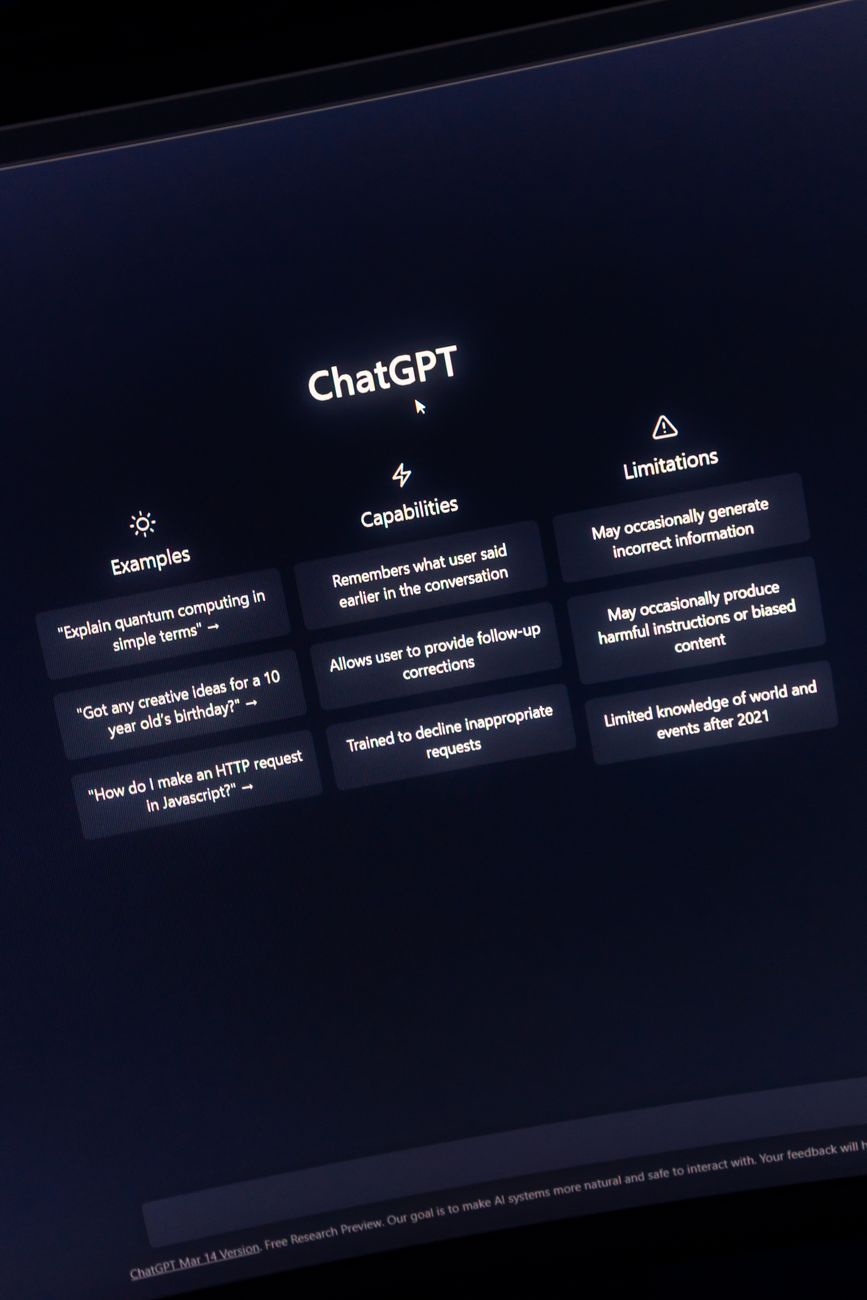
5. ChatGPT (Free Tier) with Platform-Specific Prompts
Best for: Versatile content across all three platforms when prompted correctly
ChatGPT's free tier (GPT-3.5, or GPT-4o with usage limits) is genuinely powerful for social content — but only if you know how to prompt it. Most creators type "write me an Instagram caption about my new product" and get bland, corporate output. The fix is specificity.
Here's a prompt that actually works for Instagram: "Write an Instagram caption for a fitness coach promoting a 30-day challenge. Hook: one punchy sentence under 10 words. Body: 3 sentences max. CTA: follow for daily tips. Add 10 hashtags: 3 niche (under 50K posts), 4 mid (50K–500K), 3 large (500K+)." That level of instruction produces output you can use with minimal editing.
For TikTok scripts, add: "Write this as a spoken script. First line must be a pattern interrupt. Total word count under 150 words for a 60-second video." For YouTube titles, try: "Generate 8 YouTube title options for [topic]. Each must be under 60 characters and include [keyword]. Vary the format: question, list, how-to, and curiosity gap."
The trade-off is time. Building and saving good prompts takes effort upfront. But once you have a prompt library, ChatGPT is the most flexible free tool on this list — no daily cap on GPT-3.5, and no platform lock-in.
- Free GPT-3.5 access with no daily generation limit
- Works for Instagram, TikTok, and YouTube with the right prompts
- Requires prompt engineering — not a one-click solution
- Save your best prompts in a doc for repeatable results
6. Canva Magic Write (Instagram Captions and Short Posts)

Best for: Instagram captions tied to a visual design workflow
Canva's Magic Write feature is embedded directly in the design canvas, which makes it uniquely useful for creators who build their visuals and write their captions in the same session. You're designing an Instagram post, you click Magic Write, describe what you need, and the caption appears — no tab-switching, no copy-pasting.
The free Canva plan includes 25 Magic Write uses per month. Quality is decent for short captions and solid for carousel slide copy. Where it underperforms is long-form content and anything requiring keyword precision — it's not a research tool, just a drafting assistant.
Best use case: pair Canva Magic Write with Postigniter's Caption Ranker to generate a caption in Canva, then score it against two or three alternatives before posting. That two-step workflow costs nothing and meaningfully improves output quality.
- Free tier: 25 Magic Write uses/month
- Integrated into Canva's design editor — no context switching
- Best for short captions and carousel slide copy
- Not suitable for keyword-driven or SEO-focused content
7. Lately.ai (Repurposing Long-Form Content into Social Posts)

Best for: Turning blog posts, podcasts, or videos into Instagram and LinkedIn posts
Lately.ai takes a different angle from every other tool on this list. Instead of generating content from scratch, it repurposes existing content — paste in a blog post URL or upload a transcript and it extracts the most shareable snippets, reframes them as social posts, and suggests the best one based on your historical engagement data.
The free trial gives you full access for 14 days, after which the free tier is limited but still functional for occasional repurposing. For creators who already produce long-form content (YouTube videos, podcasts, newsletters), Lately is one of the highest-leverage free tools available. A 2,000-word blog post can yield 15–20 social posts with minimal editing.
According to Sprout Social's 2024 Social Media Statistics, brands that repurpose content across platforms see up to 3x more engagement than those posting platform-exclusive content only. Lately automates the heaviest part of that process.
Trade-off: the AI learns from your engagement data over time, so early outputs are generic. Give it two to three weeks of data before judging the quality. Also, it's weaker for TikTok scripts specifically — the output reads more like LinkedIn posts than short-form video dialogue.
- Repurposes blog posts, transcripts, and video content into social snippets
- Learns from your engagement history to improve suggestions
- 14-day free trial with full features; limited free tier after
- Best for Instagram, LinkedIn, and Twitter — weaker for TikTok
How to Build a Free AI Content Workflow That Scales
Using seven different tools for seven different tasks sounds exhausting — and it is, if you're jumping between them without a system. The smarter move is to anchor your workflow around one hub and pull in specialist tools only when needed.
Here's a realistic free-tier stack for a creator publishing five times a week across Instagram and YouTube:
- Content ideation: ChatGPT (free) — brainstorm 10 post ideas in 5 minutes with a saved prompt
- Caption drafting: Postigniter's Post Generator — platform-specific output, no prompt engineering needed
- Caption scoring: Postigniter's Caption Ranker — pick the strongest draft before publishing
- YouTube titles: VidIQ free tier — keyword-scored title suggestions per upload
- Scheduling: Postigniter — connect your accounts and schedule posts from one dashboard
That's five tools, three of which live in one place. Total cost: zero. Total time saved per week: realistically 4–6 hours for a solo creator. Want to know the best times to publish once your content is ready? Check the best time to post on Instagram guide to maximize every piece of content you create.
Common Mistakes Creators Make With Free AI Tools
Free tools invite lazy habits. The biggest one: posting AI output without editing. Even the best generator produces output that's 80% of the way there — the last 20% is your voice, your specific audience reference, your personality. Readers can smell unedited AI copy, and so can Instagram's algorithm (engagement drops fast on content that feels generic).
Second mistake: ignoring platform timing. A perfectly crafted caption posted at 3am gets buried. Pair your AI content tools with platform-specific timing data — Postigniter's TikTok best posting times guide is a good starting point for short-form video.
Third: treating free tiers as permanent solutions. Most of the tools above cap free usage at levels that work for testing, not scaling. Once you're publishing consistently and seeing traction, the ROI on a paid plan is almost always positive. But the free tier is the right place to start — validate your content strategy before spending anything.
Start Generating Better Content Today
The seven free AI content generator tools above cover every major use case: Instagram captions, TikTok scripts, YouTube titles, carousel copy, and content repurposing. None of them require a credit card to get meaningful value. The real differentiator isn't which tool you pick — it's whether you build a repeatable workflow around it.
Start with Postigniter's free tools. They're purpose-built for social creators, they cover the most common content types, and they integrate with scheduling so you're not bouncing between five apps. Discover the full toolkit at postigniter.com/tools and see how much time you can reclaim from your content process.
Tags
Postigniter Team
The Postigniter team shares practical tips and strategies to help creators grow their online presence.