Instagram Caption Generator from Photo: Turn Any Image or Reel Into a Ready-to-Post Caption in Seconds
Postigniter Team
June 25, 2026
Why Your Caption Workflow Is Costing You Reach — And How an Instagram Caption Generator from Photo Fixes It
Every creator knows the feeling: you shoot a stunning photo or nail a Reel, then spend 20 minutes staring at a blank caption box. That gap between great content and great copy is where reach dies. An Instagram caption generator from photo closes that gap by reading your visual content — the actual image or video — and drafting on-brand, algorithm-friendly captions in seconds. This is not about generic "caption ideas." It is about a repeatable workflow that maps AI output directly to how Instagram's algorithm rewards posts in 2024 and beyond.
Most guides stop at "use AI to write captions." This one goes further. You will learn exactly how image-aware AI tools work, which inputs produce the sharpest output, how to adapt captions for Reels versus static posts, and the specific mistakes that turn AI drafts into engagement dead-ends. Let's build the workflow.

How an Instagram Caption Generator from Photo Actually Works
Text-only caption generators ask you to describe your post. Image-aware generators skip that step entirely — they use computer vision and multimodal AI models to analyze the photo or video frame directly. The model identifies subjects, mood, color palette, setting, and even text overlays before generating copy.
Here is what happens under the hood in four steps:
- Visual parsing: The AI scans the image for objects, faces, scenes, and dominant emotions. A beach sunset triggers different vocabulary than a gym selfie.
- Context layering: You add brand tone, target audience, and a goal (e.g., drive saves, push link-in-bio clicks, or boost comments). This steers the output away from generic filler.
- Caption drafting: The model generates a hook, body copy, call to action, and a hashtag cluster — all calibrated to the visual context it detected.
- Variant generation: Good tools produce two to five caption variants at different lengths and tones so you can A/B test without starting from scratch.
The key difference from prompt-based generators is accuracy. When you describe your own photo, you filter through your own bias. The AI sees what a cold audience sees — and writes for them. That alignment is what lifts engagement rates.
Postigniter's Image Caption Generator is built exactly on this model. Upload your photo, set your tone and goal, and get ready-to-post captions without writing a single word of your own first draft. Get started free and see the difference a visual-first workflow makes.
The Reel-First Strategy: Adapting AI Captions for Video Content
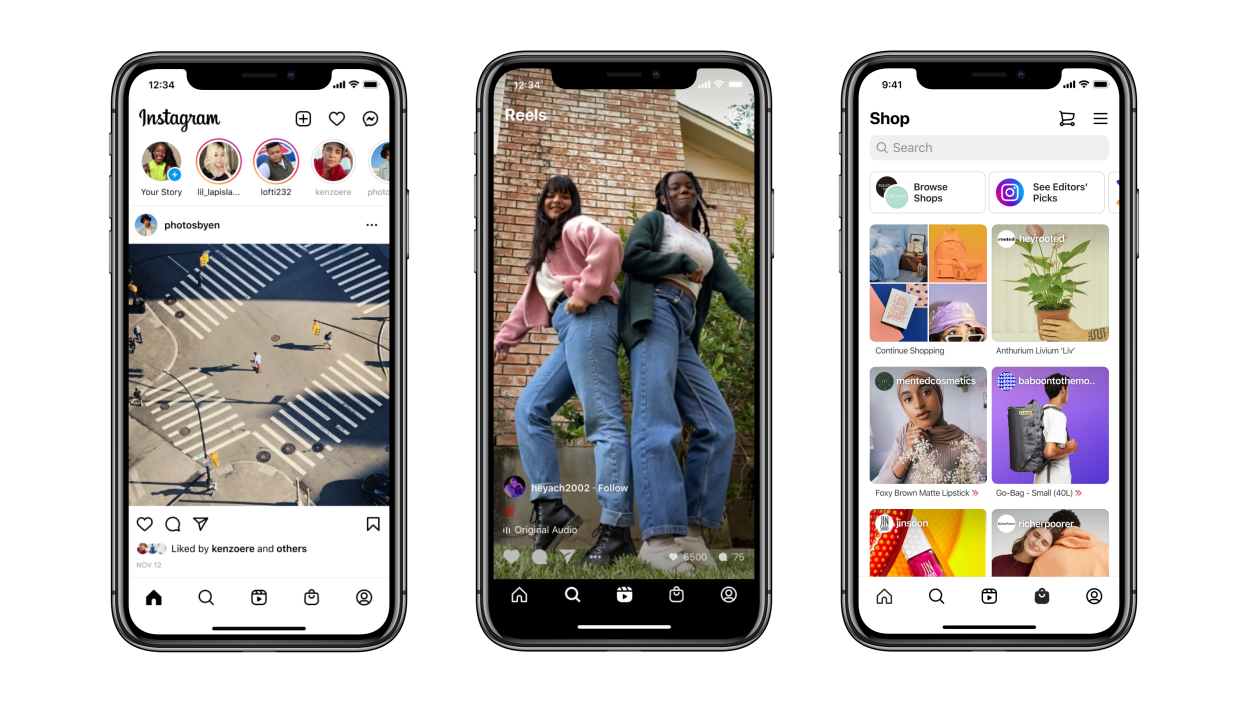
Reels changed the caption game. Later's Instagram research consistently shows that Reels receive up to 22% more reach than static posts. But the caption structure that works for a carousel fails on a Reel — and most AI tools do not account for that difference.
For Reels, the caption serves a different job. Viewers often watch with sound off and swipe within two seconds, so the caption must do three things simultaneously:
- Reinforce the hook shown in the first frame (not repeat it word for word)
- Tease what the viewer will gain by watching to the end
- Invite a specific micro-action: save, share, comment a keyword, or visit the link in bio
When using an AI caption generator for Reels, feed it a thumbnail frame — the specific frame Instagram shows before play — rather than a random still. That frame is what the algorithm uses to predict click-through rate. Aligning your caption to that frame creates message-match, which reduces bounce and signals quality to Instagram's ranking system.
A concrete example: a fitness creator uploads a thumbnail showing mid-jump during a HIIT workout. The AI reads high energy, athletic context, and motion blur. It generates: "Your 20-minute excuse just ran out. 🔥 Drop a '1' if you're doing this today." That caption works because it mirrors the energy of the frame, creates urgency, and triggers comment engagement — all three ranking signals in one sentence.
Matching Caption Length to Content Format
Caption length is not one-size-fits-all. Sprout Social's data shows that posts with captions between 138 and 150 characters see the highest average engagement, but that sweet spot shifts by format:
- Reels: 125–150 characters. Short, punchy, action-driven.
- Carousels: 200–300 characters. Room for a mini-story or numbered tips teaser.
- Static photos: 138–200 characters. Emotion-led, with a single clear CTA.
- Stories (caption overlays): Under 80 characters. One idea, no filler.
When you run your photo or Reel through a caption generator, specify the format. Most tools default to a medium-length output. If you do not override that default for a Reel, you will get a caption that Instagram truncates after the first line — burying your CTA behind a "more" tap that most viewers never click.
Building a Repeatable Caption Workflow in Under 5 Minutes
The creators who get the most out of AI caption tools are not the ones who use them occasionally. They build a repeatable workflow that runs every time they post. Here is the exact process, step by step:
- Shoot and select: Pick your hero image or Reel thumbnail. Export it at full resolution — low-res inputs produce vague AI outputs because the model cannot read fine detail.
- Set your brand parameters: Define tone (e.g., "witty and direct, never corporate"), audience (e.g., "women 25–34 interested in sustainable fashion"), and goal (e.g., "drive saves").
- Upload to the caption generator: Use a tool that reads the image natively. Paste those brand parameters into the context field — do not skip this step. It is the difference between a generic output and something that sounds like you.
- Generate three variants: Always request multiple outputs. Pick the strongest hook from one, the best CTA from another, and combine them manually. This hybrid approach beats any single AI draft.
- Run it through a caption ranker: Before posting, score your final caption. Postigniter's Caption Ranker evaluates engagement potential, readability, and CTA clarity so you post with confidence, not guesswork.
- Schedule at the right time: Caption quality means nothing if your post lands when your audience is asleep. Check the best time to post on Instagram for your account type, then schedule directly from your content tool.
This six-step loop takes under five minutes once you have your brand parameters saved. The first time takes longer — but that upfront investment pays off every single post after it.
The Brand Voice Problem — and How to Solve It
The most common complaint about AI captions is that they sound generic. Here is the honest trade-off: AI is only as specific as the inputs you give it. If you type "professional and friendly" as your tone, you will get the same caption as every other creator who typed the same thing.
Fix this with voice anchors — three to five sentences from your best-performing past captions pasted directly into the context field. The AI treats these as style references, not just abstract adjectives. Your sentence rhythm, your signature phrases, your emoji patterns — all of it gets picked up and mirrored in the output.
For example: instead of "tone: casual and motivating," paste in: "Consistency beats perfection every time. You do not need a new plan — you need to show up. Let's go. 💪" The AI learns that you use short declarative sentences, second-person address, and a single emoji at the end. That is a voice anchor, and it works.
Common Mistakes That Kill AI Caption Performance
Even with a solid workflow, there are failure modes worth knowing before you hit them. These are the mistakes that separate creators who get results from those who abandon AI tools after two weeks.
- Posting the raw AI draft without editing: AI captions are first drafts, not final copy. Read every output aloud. If it sounds robotic or repeats a phrase twice, cut it. Thirty seconds of editing doubles the caption's authenticity.
- Ignoring hashtag relevance: Many generators auto-append hashtags. Do not accept them blindly. Cross-reference against your niche. A hashtag with 50M posts buries your content; one with 200K–2M puts you in front of an engaged, discoverable audience.
- Skipping the CTA entirely: Instagram's algorithm weights comment rate heavily. A caption without a clear action prompt is a missed signal. Even a simple "Tell me below 👇" outperforms no CTA at all.
- Using the same caption structure every post: Audiences pattern-match fast. If every caption starts with a question, followers start skipping. Rotate between hooks: bold statement, surprising stat, personal story opener, and direct command.
- Treating Reels and static posts identically: As covered above, format dictates caption strategy. Running a Reel caption through a static-photo generator — or vice versa — produces mismatched copy that confuses both the algorithm and the viewer.
One more trade-off worth naming: AI caption tools are excellent at scale but weak at nuance. If your post is tied to a cultural moment, a trending audio, or a breaking news story, the AI will not know that context unless you tell it explicitly. Always add a one-line context note for time-sensitive content.
Scaling Your Caption Production Without Losing Quality
Once the workflow is running smoothly for single posts, the next level is batch production. Many creators shoot content in one session and schedule two to three weeks of posts. AI tools make this viable without sacrificing caption quality.
The approach: export all your selected images or Reel thumbnails at once. Run them through the caption generator in batches, keeping your brand parameters consistent across the session. Then use a content repurposer to adapt the strongest captions across formats — turning an Instagram caption into a TikTok hook or a LinkedIn post intro takes seconds when the core copy is already strong.
Pair this with keyword-driven caption generation for SEO-adjacent discovery. Instagram's search function now indexes caption text, which means keyword-rich captions surface your posts to users searching topics — not just hashtags. Postigniter's Keyword Caption Generator lets you anchor captions around specific search terms without making them read like keyword stuffing.
Instagram's own creator guidance confirms that descriptive, keyword-relevant captions improve content discoverability in search — a ranking signal that most creators still ignore. Building keyword intent into your AI caption workflow is one of the fastest ways to gain organic reach without paying for it.
What the Best Caption Generators Get Right — And What to Look For
Not all AI caption tools are equal. Here is what separates genuinely useful tools from ones that produce filler at scale:
- Visual input support: Can it read your actual image or video frame? Text-only generators require you to describe the visual, which adds friction and reduces accuracy.
- Format awareness: Does it differentiate between Reels, carousels, and static posts? Format-agnostic tools produce one-size-fits-all output that rarely fits anything well.
- Tone customization depth: Can you paste in voice anchors, or are you limited to a dropdown of adjectives? Deeper customization produces more on-brand output.
- Variant generation: Does it produce multiple caption options in one run? Single-output tools force you to regenerate repeatedly, which defeats the time-saving purpose.
- Integration with scheduling: The best workflow connects caption generation directly to post scheduling. Switching between five different tools adds friction that kills consistency.
Postigniter combines caption generation, ranking, and scheduling in one place — purpose-built for creators who need speed without sacrificing quality. Discover the full toolkit at postigniter.com/tools and see how the pieces fit together into a single, frictionless workflow.
From Caption to Post: Closing the Loop
A great caption is only as valuable as the post it lives on. The final step in any AI caption workflow is making sure the timing, the visual, and the copy all align. Caption quality and posting time are both ranking inputs — getting one right while ignoring the other leaves reach on the table.
Run your completed caption through the Caption Ranker, schedule it for your audience's peak window, and track which caption structures — question hooks, stat openers, command CTAs — drive the most saves and comments over four to six weeks. That data becomes your next round of voice anchors. The workflow feeds itself.
AI caption generators from photos are not a shortcut to mediocre content. Used correctly, they are a force multiplier for creators who already know their audience — cutting production time from 20 minutes to under five, while actually improving caption quality by removing the blank-page paralysis that makes most creators default to generic copy. Build the workflow once. Run it every time you post.
Tags
Postigniter Team
The Postigniter team shares practical tips and strategies to help creators grow their online presence.