Instagram Caption Generator from Photo: Turn Any Image into a Strong Caption
Postigniter Team
June 22, 2026
Why a Caption Generator from Photo Changes Everything for Creators
Writing captions used to mean staring at a blank text box, hoping inspiration would strike. Today, a caption generator from photo flips that process entirely. Instead of starting with words, you start with your image — and the AI does the heavy lifting. For Instagram creators, marketers, and small business owners, this shift is massive.
Most caption tools ask you to type a topic or keyword. However, that approach misses the point. Your photo already tells a story. Furthermore, it carries mood, color, context, and emotion that a keyword alone can never capture. A photo-to-caption workflow taps into all of that detail automatically.
Consequently, the captions you get feel more authentic and relevant. They match the visual, not just the theme. As a result, your audience connects faster, and your engagement rate climbs. In this guide, you will learn exactly how photo-to-caption AI works, see real example outputs, and get editing tips to make every caption shine.
How a Caption Generator from Photo Actually Works
At its core, a photo-based caption generator uses image recognition AI combined with a large language model. First, the AI scans your image. It identifies objects, scenes, colors, people, text, and mood. Then, it feeds those signals into a text model that writes a caption based on what it sees.
For example, upload a photo of a coffee cup on a rainy windowsill. The AI detects the cup, the rain, the moody lighting, and the cozy setting. Specifically, it might generate a caption like: "Some days are made for slow mornings and strong coffee. ☕ What's your go-to rainy day ritual?"
Additionally, most tools let you set a tone — funny, inspirational, promotional, or casual. You can also add a call to action, choose a caption length, or request a set of hashtags. Therefore, the output is not just accurate; it is also tailored to your brand voice and goals.
According to Sprout Social, posts with relevant, engaging captions see significantly higher comment and share rates than posts with generic text. That is exactly why matching your caption to your actual image matters so much.
The Key Steps in a Photo-to-Caption Workflow
- Upload your image — Choose the photo you plan to post. Higher resolution images give the AI more detail to work with.
- Set your preferences — Pick your tone, caption length, and any specific keywords or hashtags you want included.
- Generate multiple options — Most tools produce 3–5 caption variations. This gives you choices and helps you find the best fit.
- Edit and personalize — Add your own voice, tweak the wording, and insert any brand-specific phrases.
- Schedule or post — Copy the caption directly into your social media scheduler or post it live.
Moreover, this workflow takes less than two minutes from start to finish. For creators posting daily, that time saving adds up fast. Notably, you can batch this process — upload several photos at once and generate captions for a full week of content in one sitting.
Real Example Outputs: What Good AI Captions Look Like
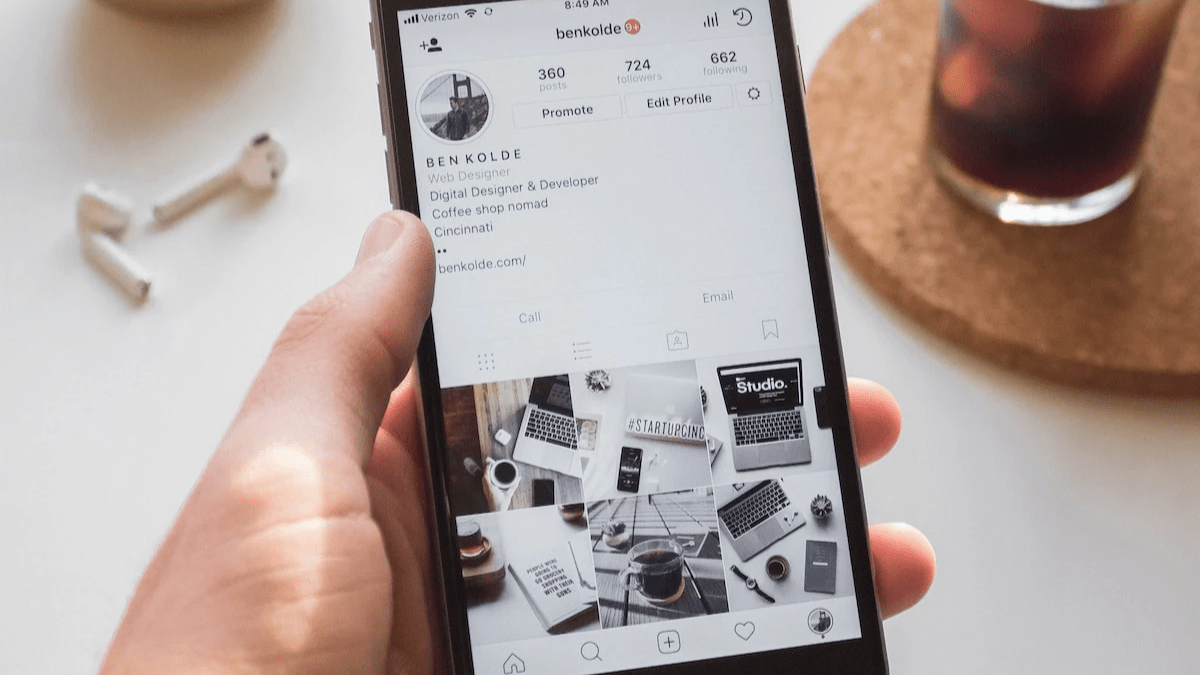
Let's look at three real-world scenarios and what a strong caption generator from photo might produce. These examples show how the AI adapts to different image types and goals.
Example 1: Lifestyle Photo (Beach Sunset)
Image: A person standing on a beach at golden hour, silhouetted against an orange sky.
AI-generated caption: "Chasing sunsets and good vibes only. 🌅 The ocean always knows how to reset your soul. Drop a 🌊 if you needed this today. #GoldenHour #SunsetVibes #BeachLife #TravelGram"
Notably, this caption hits three key elements: emotion, engagement (the emoji prompt), and relevant hashtags. Furthermore, it feels personal, not robotic. That is the mark of a well-trained image-to-caption model.
Example 2: Product Photo (Skincare Brand)
Image: A flat-lay of skincare bottles on a marble surface with green leaves.
AI-generated caption: "Your skin deserves the best ingredients, not the cheapest ones. 🌿 Our new hydration serum is now live — link in bio. Shop now and glow different. #SkincareRoutine #CleanBeauty #GlowUp"
Additionally, this caption includes a clear call to action and brand-relevant language. As a result, it works as both organic content and a soft sales push. Marketers can use this format to drive traffic without sounding pushy.
Example 3: Food Photo (Restaurant or Food Blogger)
Image: A close-up of a colorful acai bowl topped with fresh fruit and granola.
AI-generated caption: "Eating the rainbow, one bowl at a time. 🫐🍓 This acai bowl is basically a hug in a dish. Would you eat this for breakfast every day? Tell us below! #AcaiBowl #HealthyEating #FoodPhotography #BrunchGoals"
Specifically, the question at the end is a proven engagement driver. According to Hootsuite's Instagram caption guide, captions that ask a question can double comment rates. Therefore, the AI is not just writing words — it is applying engagement strategy.
Editing Tips: How to Make AI Captions Sound Like You
AI gives you a strong first draft. However, the best captions always have a human touch. Here are the most effective editing tips to make any AI-generated caption feel authentic and on-brand.
- Add your name or brand phrase. Insert a signature sign-off or a recurring phrase your audience recognizes. For instance, if you always say "Stay curious," keep that in.
- Adjust the tone to match your voice. If the AI sounds too formal, loosen it up. If it is too casual, tighten the language. Furthermore, read it aloud — if it sounds like you, it is ready.
- Trim the hashtags. AI tools often generate 10–15 hashtags. However, Later's research on Instagram hashtags suggests 3–5 highly relevant tags often outperform large hashtag dumps. Choose quality over quantity.
- Strengthen the call to action. Generic CTAs like "check the link" are weak. Instead, try "Grab yours before it sells out" or "Save this for your next beach trip." Specificity drives clicks.
- Check for accuracy. AI reads images well, but it can misidentify details. Always verify that the caption matches what is actually in your photo. For example, if the AI calls your latte a "cappuccino," fix it.
- Add emojis strategically. Emojis boost visual appeal and readability in feeds. Moreover, they can replace filler words and make captions feel warmer. Use 1–3 per caption for best results.
Ultimately, think of the AI as your first-draft writing partner. It removes the blank-page problem. Then, you step in to add the personality and precision that only a human can provide.
How to Use Postigniter's Image Caption Generator
Postigniter offers a free Image Caption Generator built specifically for Instagram creators and marketers. It is one of the most direct photo-to-caption tools available — no complex setup, no subscription required to get started.
Simply upload your image, select your preferred tone and caption style, and hit generate. Additionally, you can use the Caption Ranker to compare multiple AI-generated options side by side. This helps you pick the version most likely to drive engagement before you even post.
Furthermore, once you have your caption, you can plug it straight into Postigniter's scheduling workflow. Consequently, your content goes from photo to published post in one seamless pipeline. Get started for free and see how fast your content creation process can become.
For creators who want even more control, the Keyword Caption Generator lets you layer in specific keywords for SEO and discoverability. Moreover, you can use the Post Hook Generator to craft a punchy opening line that stops the scroll before the caption even begins.
Who Benefits Most from a Photo-Based Caption Generator
Specifically, this type of tool is not just for solo creators. It serves a wide range of users who need fast, relevant, high-quality captions at scale.
- Instagram influencers — Post daily without burning out on caption writing. Additionally, maintain a consistent voice across all content.
- E-commerce brands — Turn product photos into compelling copy that drives clicks and conversions. Moreover, generate captions for entire product catalogs in minutes.
- Social media managers — Handle multiple client accounts efficiently. Consequently, spend less time writing and more time on strategy and analytics.
- Photographers — Add context and storytelling to images without needing copywriting skills. Furthermore, captions help photos get discovered through search and hashtags.
- Small business owners — Compete with larger brands on content quality, even without a dedicated marketing team. Notably, AI levels the playing field.
- Travel and lifestyle bloggers — Capture the mood of every destination or experience with captions that resonate emotionally.
Therefore, whether you post once a week or ten times a day, a caption generator from photo saves time and improves output quality. It is one of the highest-ROI tools in any creator's toolkit.
Common Mistakes to Avoid When Using Caption AI
Even the best tools can produce weak results if used incorrectly. Here are the most common mistakes creators make — and how to avoid them.
Posting AI Captions Without Editing
AI drafts are starting points, not final copies. However, many creators copy and paste without reviewing. As a result, captions can feel generic or miss important context. Always spend 60 seconds personalizing before you post.
Uploading Low-Quality Images
The AI can only analyze what it can see. Specifically, blurry, dark, or heavily filtered photos give the model less to work with. Therefore, use clear, well-lit images for the most accurate and detailed captions.
Ignoring Tone Settings
Most tools offer tone options — professional, playful, inspirational, and more. Furthermore, skipping this step often produces a mismatched caption. For instance, a serious brand photo paired with a jokey caption can confuse your audience. Always match tone to content.
Using Every Hashtag the AI Suggests
More hashtags do not always mean more reach. Moreover, irrelevant hashtags can hurt your discoverability by signaling poor content quality to the algorithm. Curate the list down to your most relevant and targeted tags.
The Future of Photo-to-Caption AI
Image recognition and language models are improving rapidly. Consequently, the next generation of caption generators will understand nuance, brand history, and audience behavior at a much deeper level. Notably, some tools are already beginning to factor in past post performance to suggest captions most likely to drive results for your specific account.
Furthermore, multimodal AI — models that process both images and text simultaneously — is becoming more accessible. As a result, photo-to-caption tools will soon produce outputs that feel indistinguishable from human writing. However, the human editor will always add the final layer of authenticity that builds real audience trust.
Ultimately, the creators and brands who adopt these tools early will have a significant advantage. They will produce more content, maintain higher quality, and spend less time on repetitive tasks. Therefore, now is the ideal time to build photo-to-caption AI into your content workflow.
Start Turning Your Photos into Powerful Captions Today
A strong caption generator from photo removes the hardest part of Instagram content creation — the blank page. Instead of guessing what to write, you let your image lead the way. The AI handles the first draft, and you add the finishing touches that make it yours.
Postigniter's free suite of AI tools makes this process fast, easy, and completely free to try. Discover the Image Caption Generator and start creating captions that match your visuals, engage your audience, and grow your account. Additionally, explore the full tools library to find every AI content tool you need in one place.
Your photos already tell a story. Now it is time to give them the words they deserve.
Tags
Postigniter Team
The Postigniter team shares practical tips and strategies to help creators grow their online presence.